Squarespace vs Wix (2026): Which Is Better for a UK Business?

By Nick Croce
Straight up: I build websites on Squarespace for a living, so you'd expect me to say Squarespace. I'm going to say it anyway, but I'm also going to tell you exactly where Wix is the better choice, because it sometimes is, and I'd rather you picked the right platform than picked me.
I've also got a soft spot for Wix. The first few client websites I ever built were on it, and so was my first ever e-commerce store, so none of what follows is snobbery. It's what I've learned from building on both and then looking after sites on both for years afterwards.
Both are good. Both will give a UK small business a professional site that works on a phone, takes payments and gets found on Google. The differences are in how you build, what you pay once the free trial ends, and how the site holds up two years later when nobody's touched it for a while. That last one is the bit the comparison sites miss, and it's where my experience of 250-plus Squarespace builds actually earns its keep.
The short answer
Pick Squarespace if you want a site that looks designed, stays tidy as it grows, works on mobile without a second editor, and that you or a designer can update in minutes without breaking the layout. It's the better platform for service businesses, agencies, consultancies, clinics, law firms and anyone whose site is mainly there to win enquiries.
Pick Wix if you want to drag anything anywhere, you need a free plan to start, you need a site in several languages, or you rely on a specific app from the Wix App Market that has no Squarespace equivalent. Wix gives you more freedom. The catch is that freedom includes the freedom to make a mess, and most people do.
Everything below is the reasoning. Prices are from the UK pricing pages on 1 October 2026 and will move, so check them before you buy.
Price in the UK: what you'll actually pay
Both charge monthly for the platform and both are cheaper if you pay for a year up front. Here's the UK line-up on annual billing, which is how most businesses buy.
| Plan | Squarespace (per month, annual) | Wix (per month, annual) |
|---|---|---|
| Entry | Basic, £12 | Light, £9 |
| Mid | Core, £17 | Core, £16 |
| Business | Plus, £29 | Business, £25 |
| Top | Advanced, £79 | Business Elite, £119 |
Squarespace charges more if you pay monthly instead: Basic is £16, Core £24, Plus £36 and Advanced £89 a month. Wix also has a free plan, which Squarespace doesn't; Squarespace gives you a 14-day trial instead. The Wix free plan puts Wix branding on your site and doesn't give you your own domain, so for a business it's a sandbox, not a home.
For most UK service businesses the honest comparison is Squarespace Core at £17 against Wix Core at £16. A pound a month apart. Price isn't the deciding factor between these two, and anyone telling you one is "much cheaper" is comparing the wrong plans.
If you sell online, look at card fees as well as the plan. With Squarespace Payments the rate drops as you move up: 2.0% + 25p on Basic and Core, 1.7% + 25p on Plus and 1.5% + 25p on Advanced. Wix's rates depend on the payment provider you connect, so check Wix's current UK rate for the one you'd use. On a shop turning over a few thousand a month, a half-percent difference in card fees is worth more than the plan price.
The editor: this is the real difference
Forget the feature lists for a minute. The thing that decides whether you'll like a platform is how it feels to move a box.
Wix is free-form. You drag an element and it goes exactly where you drop it, to the pixel. That's wonderful for ten minutes. Then you add a longer paragraph, the text overlaps the image below, and you discover that nothing on the page knows about anything else. Wix has a newer, more structured editor in Wix Studio, which is aimed at agencies, but the classic editor most people start on is still absolute positioning.
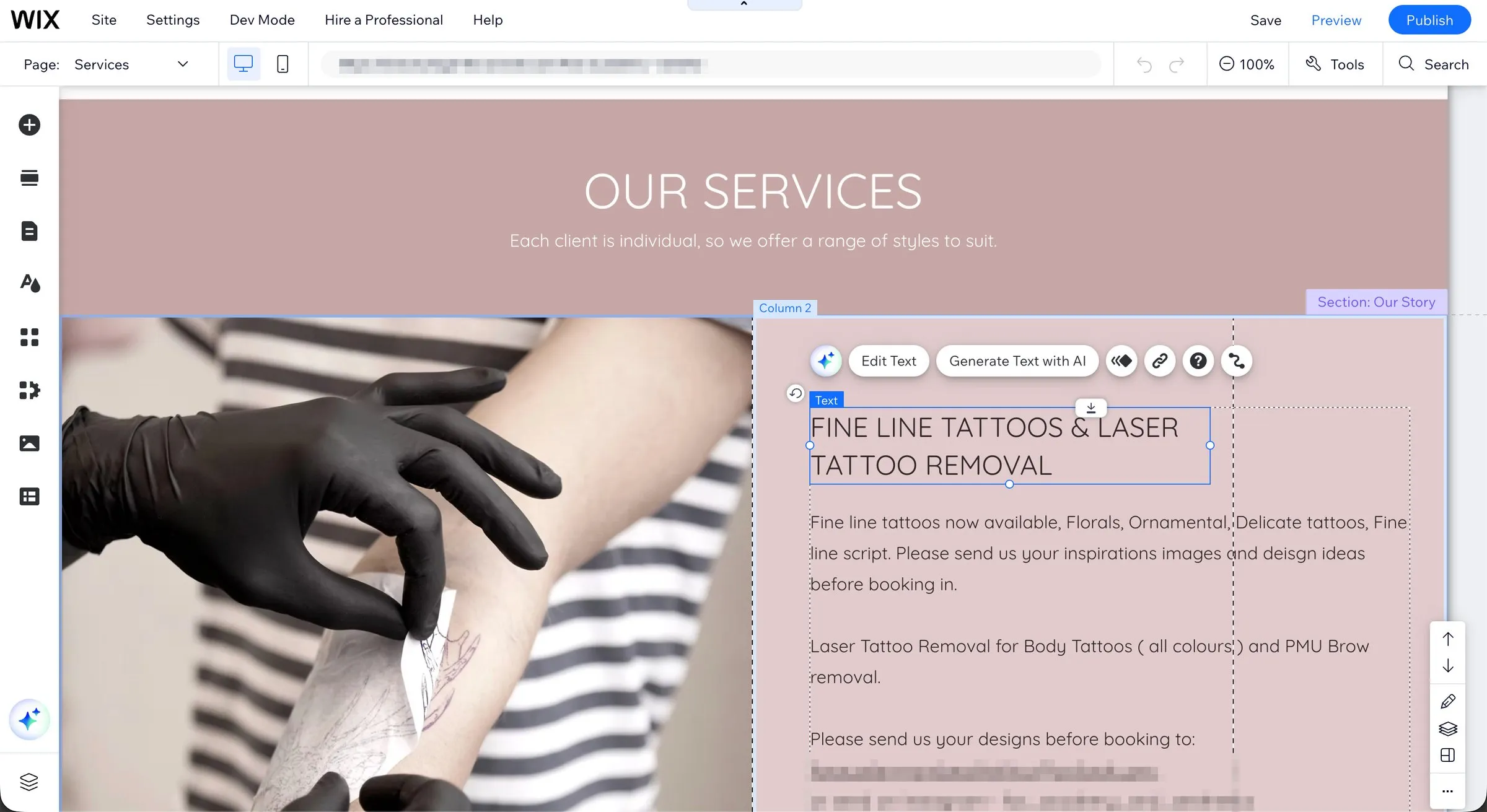
Squarespace is section-based. Pages are stacks of sections, each section is a grid, and blocks snap to it. You can't put a thing three pixels off, which sounds like a limitation until you realise it's why Squarespace sites still look designed after the client has edited them for a year. The grid does the design discipline for you.
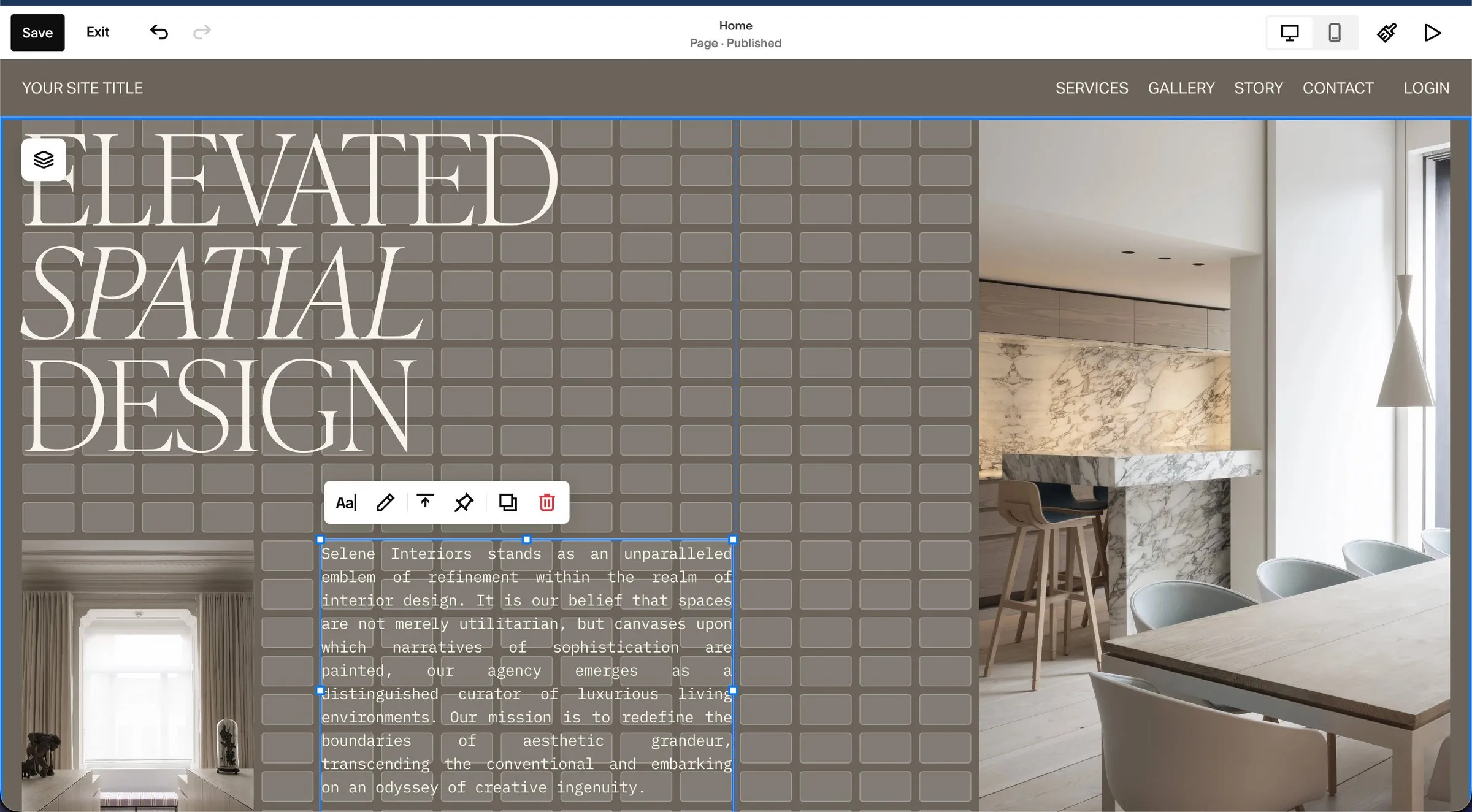
I've inherited sites built on both. A Squarespace site that's been neglected looks dated. A Wix site that's been neglected looks broken. That gap is the editor.
Templates and design
Wix has far more templates. Squarespace has fewer, but they share one design system, so the quality floor is higher and you can switch between them without rebuilding. On Squarespace the template matters less than people think anyway: every site on the current version starts from the same engine, and the look comes from the fonts, colours, spacing and sections you set up, not the starting point.
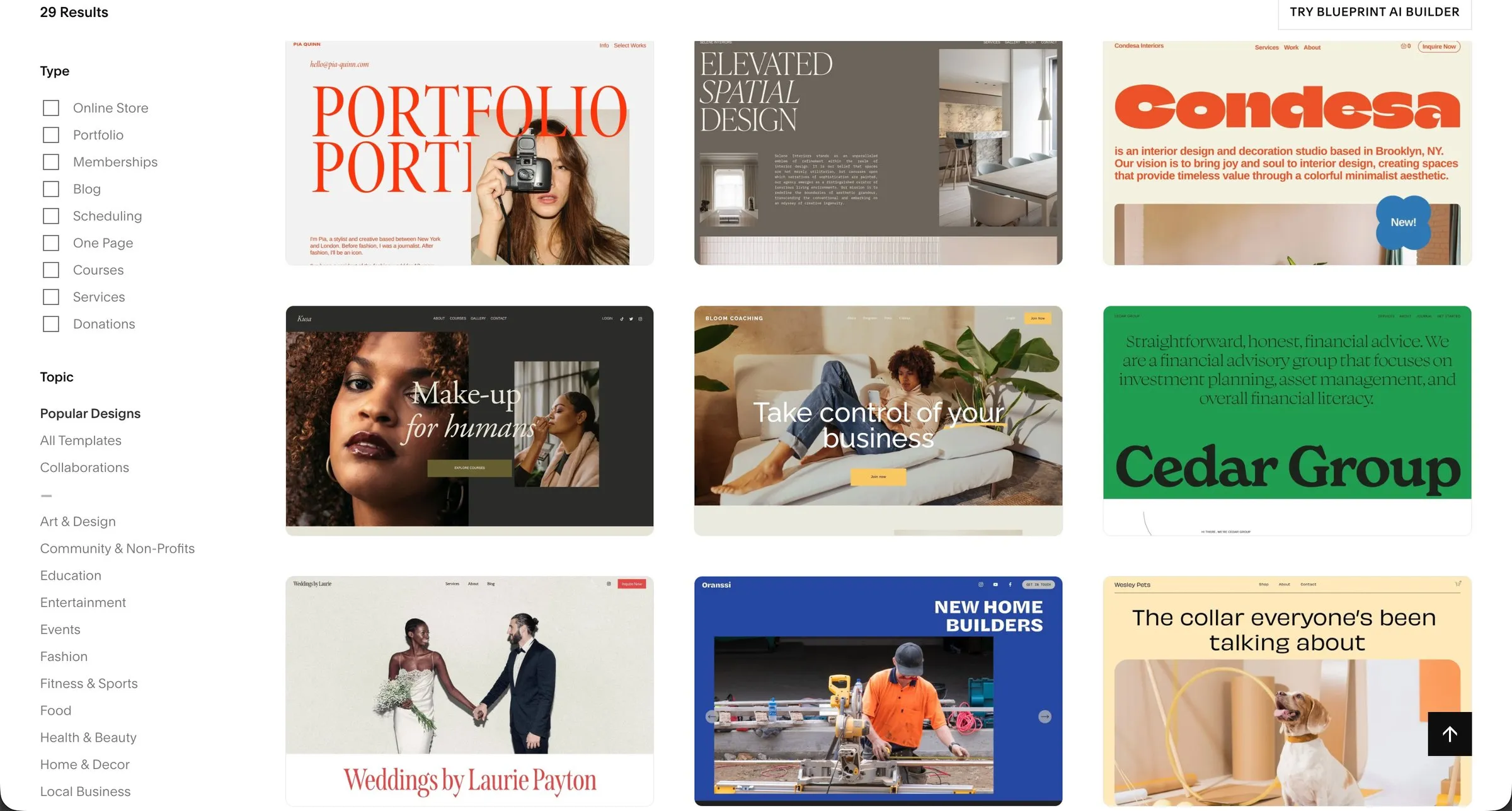
If you want something that doesn't look like a template at all, that's what custom CSS and a designer are for, and Squarespace takes custom code cleanly. It's how I build the sites in my portfolio, and how the sites in my list of the best UK Squarespace designers get made.
Mobile
Squarespace sections are responsive by design. You build the desktop layout and the mobile layout follows the same grid, with its own tweaks if you want them. Wix's classic editor gives you a separate mobile view to tidy up by hand, and because the desktop layout is free-form, the mobile version regularly needs that tidying. More than half of your visitors are on a phone, so this isn't a footnote. It's the difference between checking mobile once and checking it every time you edit.
SEO: can you rank with either?
Yes. Wix had a bad reputation for SEO years ago and it has long since fixed the things that earned it. Both platforms give you editable titles and descriptions, clean URLs, automatic sitemaps, redirects, image alt text and fast enough hosting. I've written up the Squarespace SEO essentials and the mistakes I see most, and the honest summary is that rankings come from your content, your links and your page structure, not from which builder you chose.
Where Squarespace has an edge is structure. Because every page is sections with proper headings, the HTML Google reads tends to be cleaner than a free-form Wix page where the heading order follows wherever the boxes were dropped. Where Wix has an edge is native multilingual sites, which Squarespace doesn't do well. If you need a site in English and Welsh, or English and three other languages, that alone can decide it.
Selling online, bookings and memberships
Wix's e-commerce is bigger. More product options, more apps for things like abandoned-cart recovery, and a larger shop ecosystem. If you're running a serious online store with hundreds of products, Wix (or Shopify, honestly) is the better fit.
Squarespace covers the shop most service businesses actually need, with the advantage that scheduling, memberships, courses and digital products are built in rather than bolted on. A clinic that takes bookings, a coach selling a course, a studio with a members' area: those all run inside Squarespace without an app subscription on top. That's the pattern I see most in the businesses I work with, which is a big part of why I build on it.
Apps and integrations
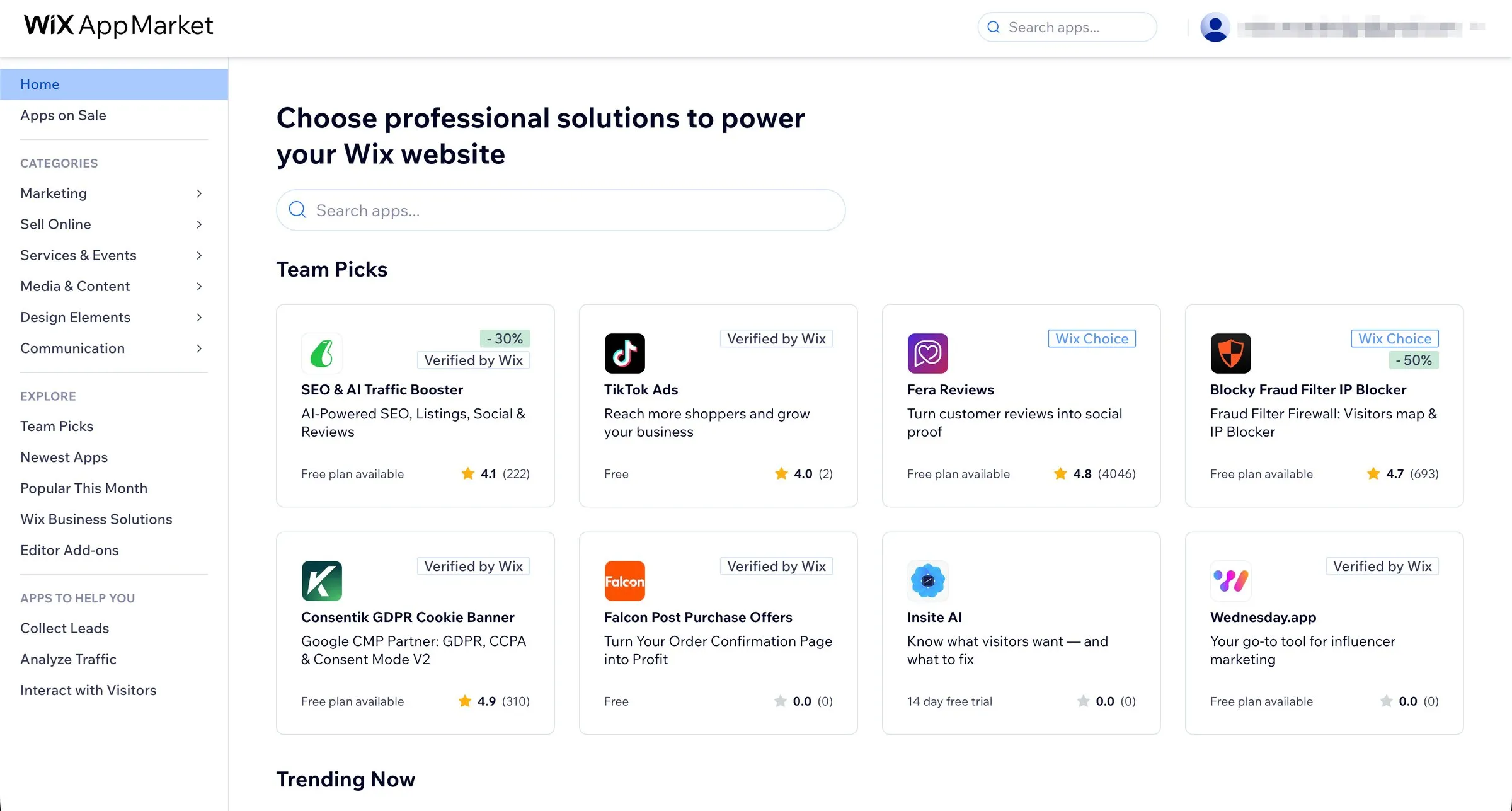
Wix's App Market is much larger. If your business depends on a particular tool, check whether it exists for each platform before anything else. Squarespace's answer is to build the common things in and to accept embeds and custom code for the rest, which keeps sites simpler and faster but means fewer one-click options. In practice, I've rarely hit a thing a Squarespace client needed that couldn't be done; I have often seen Wix sites running eight apps that each add a bit of weight and a monthly fee.
Who should pick Wix
- You need a free plan to get something live now, and a business domain can wait.
- You need a multilingual site with proper language switching.
- You're running a large online store and want the deeper e-commerce apps.
- You rely on a specific Wix app, or you're an agency already working in Wix Studio.
- You genuinely want pixel-level control and you'll maintain the mobile view yourself.
Who should pick Squarespace
- Your site is there to win enquiries: consultancies, agencies, clinics, law firms, studios, trades.
- You want the site to still look good after a year of your own edits.
- You take bookings, run a membership or sell a course, and you'd rather not pay for apps to do it.
- You care about mobile and don't want to maintain it separately.
- You might hire a designer. Most UK Squarespace specialists build on it precisely because it holds up, and it's what my custom builds are made on.

Moving from Wix to Squarespace
There's no import button, and you wouldn't want one, because a free-form Wix layout doesn't translate into a grid. A move is a rebuild: the content comes across, the design is redone properly, and every old URL is redirected to its new home so you keep your Google rankings. Done right it takes three to four weeks and you come out with a faster, cleaner site rather than a copy of the old one.
Waters Agency, a PR firm working in AI, is the one I'd point you at. Their old Wix site was hard to update and didn't match where the business had got to. The rebuild on Squarespace gave them a site the team could manage themselves, and it's been running without drama since launch. If that's the situation you're in, my website redesign page explains how the move works and what it costs.
Questions people ask
What's the downside of Squarespace?
Less freedom. You can't put an element anywhere you like, the App Market is smaller, multilingual sites are weak, and there's no free plan. If any of those is a deal-breaker for you, Wix is the answer. For most businesses the first one is a feature in disguise.
Is Squarespace still good in 2026?
Yes, and better than it was. The current editor is fully responsive, custom code is well supported, scheduling and memberships are built in, and the platform has spent the last few years on AI tools and payments rather than on anything that changes how a site is built. The sites I launched three years ago still look current.
Is Wix cheaper than Squarespace in the UK?
Marginally, plan for plan: £16 against £17 a month on the mid-tier plans with annual billing. Wix's free plan is the real price difference, and it's not something a business should run on.
Can I move my Wix site to Squarespace without losing rankings?
Yes, if the old URLs are redirected to the new ones and the titles and content carry across. That's the part that gets skipped when people do it themselves. It's the whole point of doing a redesign properly.
Do I need a designer for either?
No for a simple site, and both platforms are built so you don't. Yes if the site needs to win business and you don't want to spend your evenings on it. How to choose a Squarespace designer covers what to look for, and the UK designer list has real prices from ten of them, mine included.
Not sure which way to go? Book a free 15-minute call. If Wix is the right answer for you I'll say so, and you'll have lost nothing but a quarter of an hour.