Squarespace vs WordPress (2026): Which Is Better for a UK Business?

By Nick Croce
Squarespace vs WordPress is the comparison people make once they’ve ruled out the cheap site builders and want something that will still look professional in three years. I build on Squarespace, so you know where I’ll land. But I’ve also used WordPress, with the full plugin stack, MemberPress and all, and I’ve moved a fair few clients and their blogs off it, so I know both sides better than most people recommending one or the other.
Here’s the honest version: UK prices, how building actually feels, what upkeep costs you in time, SEO, selling online, and who should pick WordPress anyway.
The short answer
WordPress is a free, open-source platform that you host yourself (or pay WordPress.com to host). It can be bent into almost anything, which is its strength and its curse: every extra feature is a plugin, every plugin needs updating, and when two of them disagree, your site is the one that breaks.
Squarespace is an all-in-one: hosting, security, the editor, templates, ecommerce and bookings, all from one company, all updated for you. You give up some flexibility and in return you never think about servers, PHP versions or plugin conflicts again.
If you’re a small business owner who wants a website rather than a hobby, Squarespace. If you need something WordPress’s ecosystem is uniquely good at, and you have a developer on hand to look after it, WordPress. The rest of this article is the detail behind that.
Price in the UK: what you’ll actually pay
This is where the two are hardest to compare, because “WordPress is free” is true and misleading at the same time. The software is free. Running it isn’t.
| Squarespace | WordPress | |
|---|---|---|
| Entry | Basic, £12 a month (annual) | WordPress.com Personal, $9 a month (annual), or self-hosted from about £2 a month on an introductory hosting deal |
| Mid | Core, £17 a month | WordPress.com Premium, $18 a month, or self-hosting that renews at around £14 to £24 a month |
| Business | Plus, £29 a month | WordPress.com Business, $40 a month, or self-hosting plus a paid theme and paid plugins |
| Selling online | Plus or Advanced, £29 to £79 a month | WordPress.com Commerce, $70 a month, or self-hosting plus WooCommerce and its paid extensions |
Squarespace’s UK prices are the ones on its own pricing page at the time of writing, per month on an annual plan. WordPress.com only shows its prices in dollars, so that’s what I’ve quoted. For self-hosting I’ve used SiteGround as the example, because it’s one of the hosts most UK WordPress people use: its WordPress plans start at £1.99 a month on the introductory deal and renew at £13.99 to £34.99 a month, before VAT.
That introductory price is the bit that catches people. The first year of a self-hosted WordPress site can genuinely cost less than a coffee a month. Then it renews at full price, and by then you’ve usually added a paid theme, a page builder, a backup plugin, a security plugin and a forms plugin, most of them on annual subscriptions. Squarespace’s price is boring by comparison, and it stays boring, which is the point.
The editor: this is the real difference
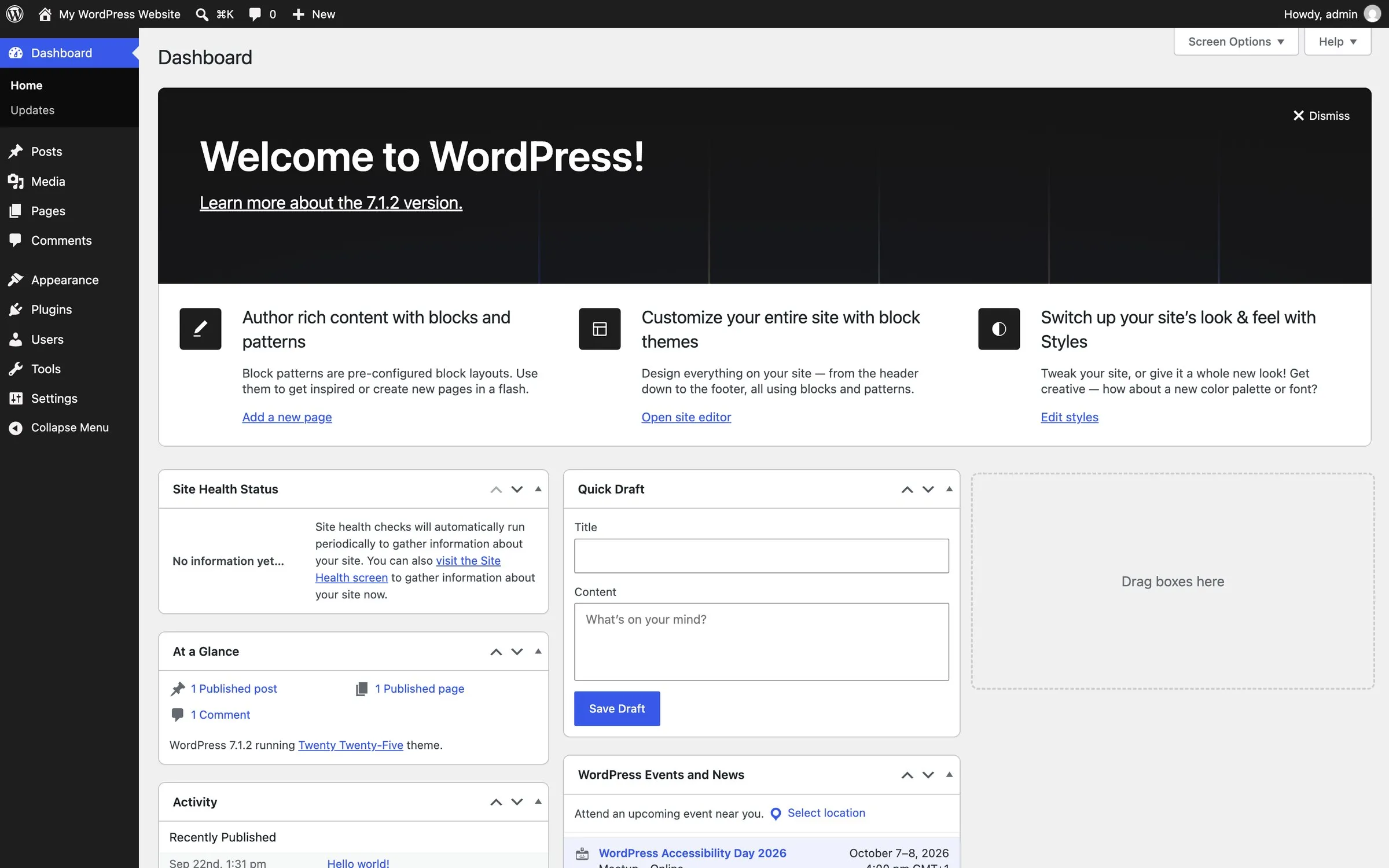
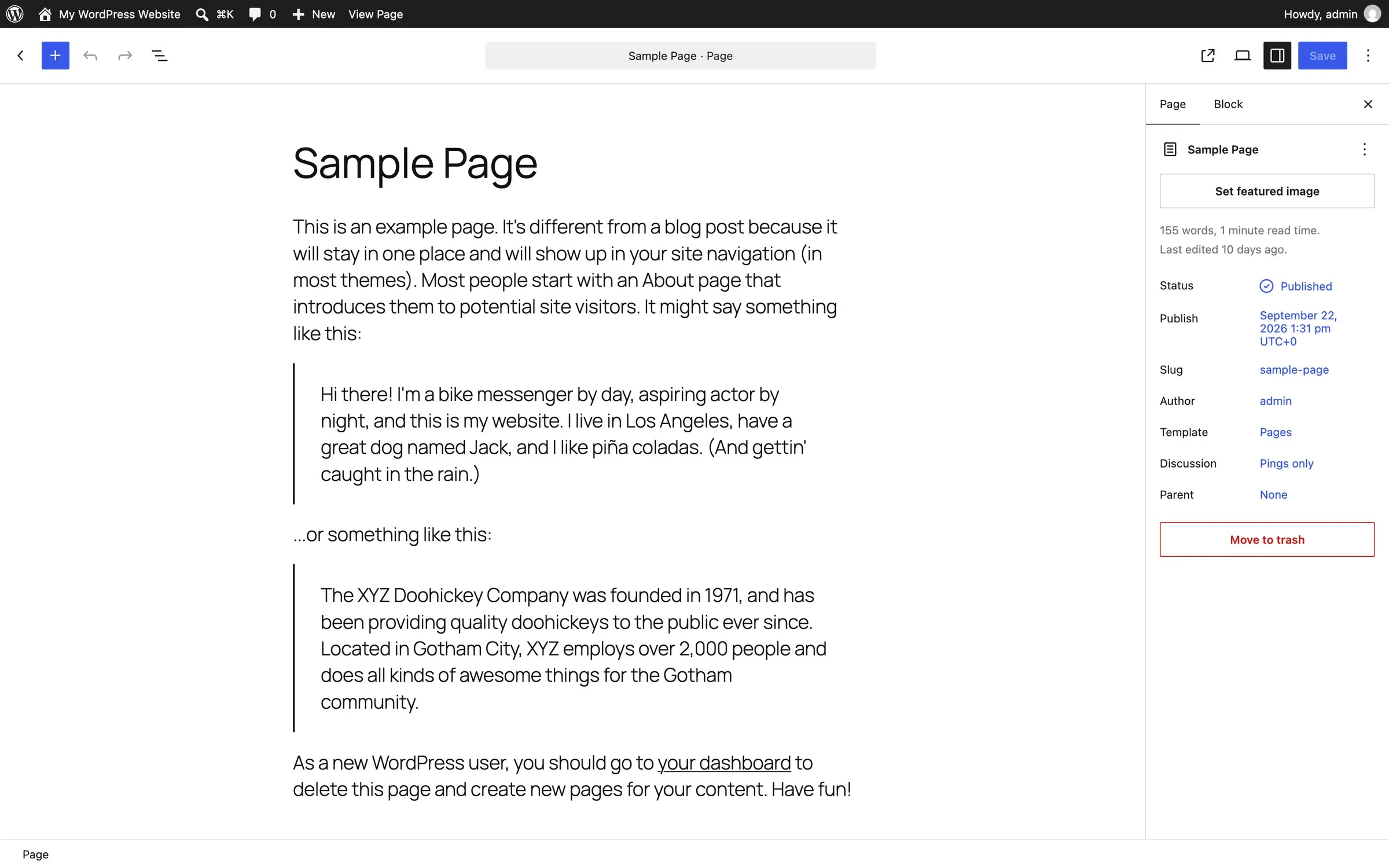
WordPress doesn’t really have one editor. It has the block editor that comes built in, and then a whole industry of page builders (Elementor, Divi, Beaver Builder, WPBakery) that replace it, each with its own way of working. Which one you get depends on who built your site, and if you ever change designers, there’s a decent chance the next one wants to rip it out and start again.
I’ve used WordPress with the usual stack of plugins, MemberPress included, and I didn’t enjoy it. Not because it can’t do things, but because every small change felt like it ran through three layers: the theme, the page builder, and whichever plugin was fighting both. You spend a lot of time in settings screens and not much time designing.
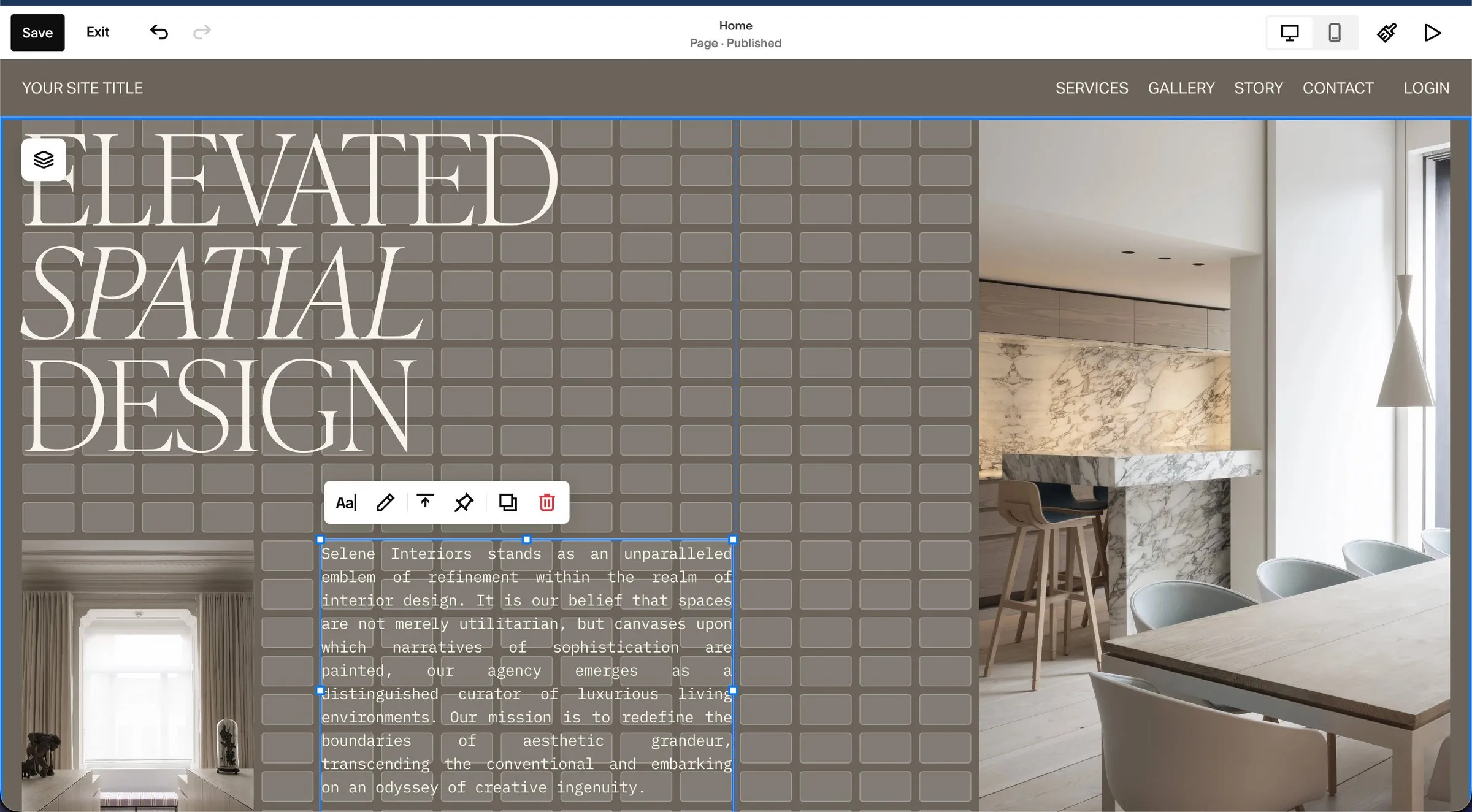
Squarespace has one editor, and it’s the same on every site. Sections stack down the page, each section is a grid, and you place blocks on the grid. It’s more constrained than a page builder, and that constraint is why Squarespace sites so rarely look broken: the system won’t let you make most of the mistakes. For a business owner who has to update the site themselves after I hand it over, that matters more than any amount of flexibility.
Upkeep: the cost nobody puts in the comparison
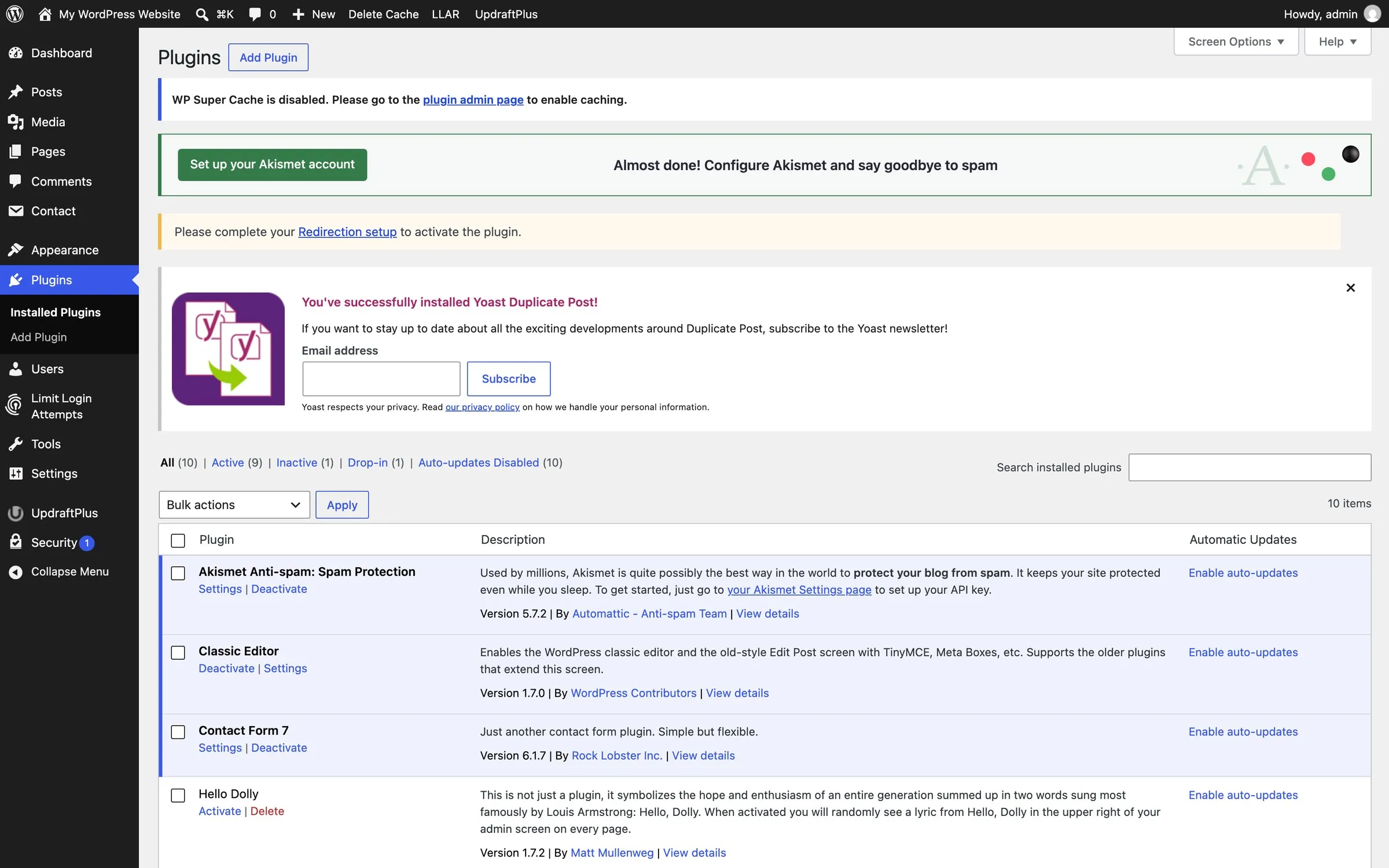
A WordPress site is never finished. WordPress itself updates, the theme updates, and every plugin updates on its own timetable. Skip the updates and you leave security holes open; run them and occasionally one breaks the layout or takes the site down. Somebody has to own that, which is why so many WordPress sites end up on a maintenance retainer, or quietly rot.
Squarespace does all of that for you. There is no update button, because there’s nothing for you to update. Hosting, SSL, security patches and backups are included, and the platform updates itself in the background without you doing anything. For most of the business owners I work with, that alone settles it.
Templates and design
WordPress has thousands of themes, free and paid, of wildly varying quality. The best are excellent. The worst are bloated, slow and abandoned by their developers, and from the preview you can’t always tell which you’re getting.
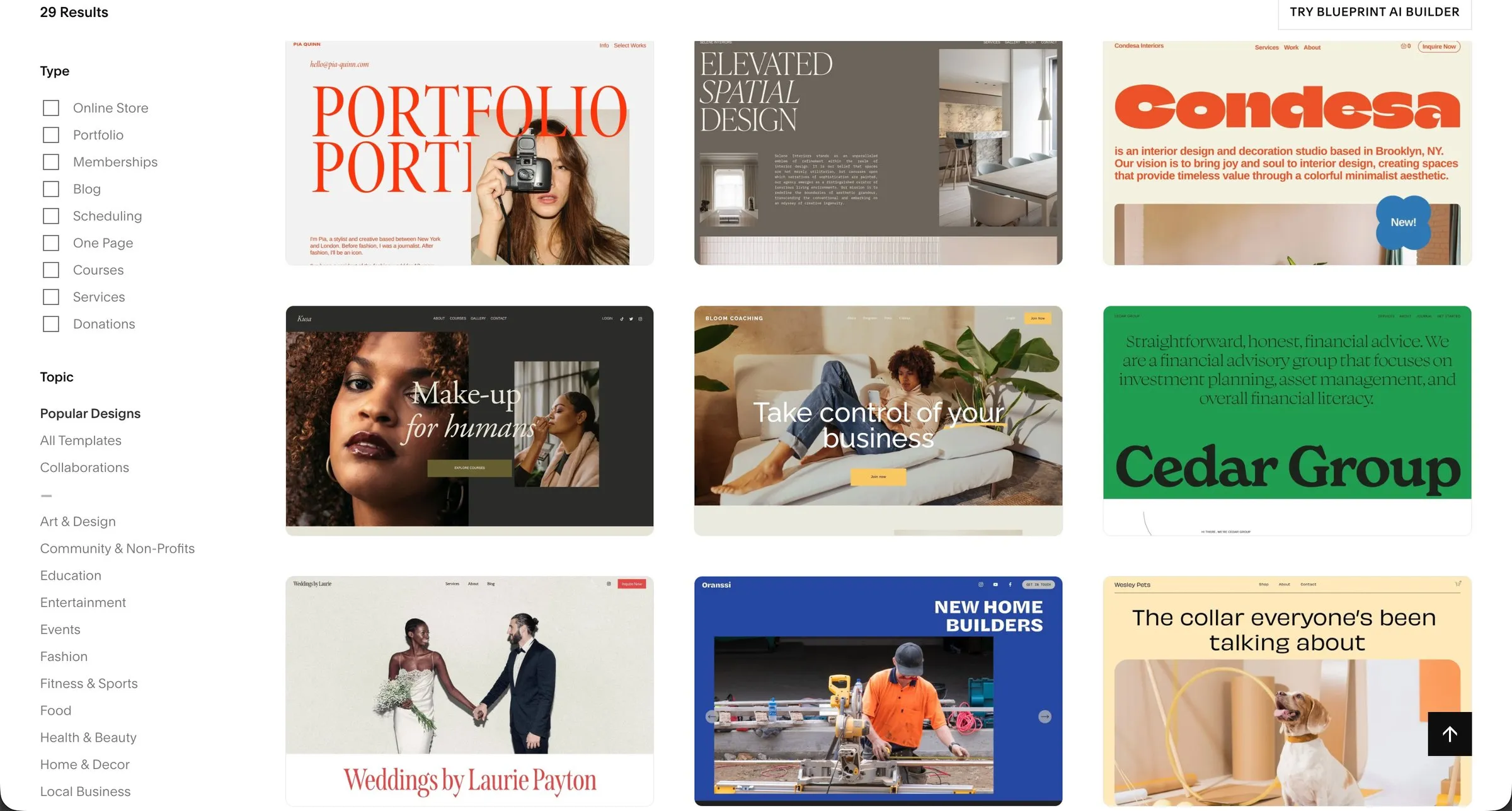
Squarespace has far fewer templates, and all of them are made by Squarespace. They’re well designed and they stay supported, but if you just pick one and swap the photos, your site will look like a Squarespace template. The way around that, on either platform, is a proper design: on Squarespace that means building the layout from the grid up rather than from a template, which is what I do.
SEO: can you rank with either?
Yes. Google doesn’t care which platform you use; it cares whether the page answers the search, loads quickly and is linked to. WordPress has the edge on control: with a plugin like Yoast or Rank Math you can tune almost anything, and for big content sites that control is genuinely useful.
Squarespace covers the basics without a plugin: page titles and descriptions, clean URLs, a sitemap, SSL, image alt text, 301 redirects and automatic structured data. If you want the Yoast-style page-by-page checklist, Squarespace has an equivalent in SEOSpace, a plugin that audits each page and tells you what to fix. For the overwhelming majority of small business sites, that’s everything the platform needs to provide. What moves the rankings after that is the content and the links, on either platform. The one place I’d give WordPress a real advantage is a site publishing a lot of articles with a dedicated SEO person behind it.
Selling online, bookings and memberships
Shops. WooCommerce, the WordPress shop plugin, is enormously capable and runs some very large stores. It’s also a project: payment gateways, shipping, tax and most “extra” features are separate extensions, many of them paid. Squarespace Commerce is simpler and built in, with products, variants, discounts, subscriptions and digital products on the Plus and Advanced plans. For a shop with a few hundred products or fewer, it does the job without the plumbing.
Bookings. Squarespace owns Acuity Scheduling, so appointments, intake forms and reminders fit the site neatly. I built StayWell Health’s booking flow on it, with patients filtering doctors by state. On WordPress you’d pick from several booking plugins and connect them yourself.
Memberships and courses. Both can do it. WordPress has mature plugins like MemberPress and LearnDash with more depth, at more cost and more set-up. Squarespace has member sites and courses built in, and having used MemberPress, I find Squarespace’s courses far more intuitive to set up and to run. I’ve built them for several clients, tattoo artists among them, and the owners manage them without me.
Custom features
If you need something unusual, a custom database, a members’ directory with complicated rules, deep integration with your own software, WordPress will get there, because somebody has probably written the plugin or a developer can. Squarespace has custom code too, and I lean on it: Black Acre Records’ interactive record gallery and THEY SAY Studios’ case study layouts were both built with custom code on top of Squarespace. But there is a ceiling, and if your idea is more software than website, that’s where I’d tell you so.
Who should pick WordPress
- You’re publishing a lot of content (hundreds of articles, multiple authors) and want full control over how it’s organised and optimised.
- You need a specific plugin or integration that only exists on WordPress.
- You have a developer, in-house or on retainer, who will own the updates, backups and security.
- You’re running a large or complex shop and need WooCommerce’s depth.
- You want to own and move the whole codebase wherever you like.
Who should pick Squarespace
- You run a small business and want to update the site yourself without breaking it.
- You don’t want to think about hosting, security, backups or updates, ever.
- You take bookings, sell a manageable range of products, or run memberships or courses.
- You care how the site looks and want it to still look that way in three years.
- You’d rather pay one predictable fee than manage a stack of subscriptions.

Moving from WordPress to Squarespace
This is a lot of what I do. Meraki Studios’ old WordPress site had become clunky and hard to navigate, and with two studios and a full class timetable they needed something clearer that they could run themselves. I rebuilt it on Squarespace, with class bookings built in, in four weeks.
The move itself is more routine than people fear. Pages and blog posts come across (Squarespace imports a WordPress blog directly, and I tidy up what the importer misses), images are re-uploaded and compressed, and every old address gets a 301 redirect to its new home so your existing links and Google results keep working. What doesn’t come across is the plugins, which is usually the point. If you’re weighing it up, the website redesign page explains how I handle the move, and how to switch from WordPress to Squarespace is the step-by-step guide, redirects included.
Questions people ask
Is WordPress cheaper than Squarespace?
In year one, usually. Over three years, often not. Once hosting renews at full price and you add a paid theme and a few paid plugins, a self-hosted WordPress site commonly costs as much as Squarespace Core or Plus, and that’s before anyone’s time looking after it.
Is WordPress better for SEO than Squarespace?
It gives you more control, which matters for large content sites. For a typical small business site, both have everything the platform needs to provide, and the difference comes down to the content, the links and whether the site is fast and well structured.
Can I move my WordPress blog to Squarespace?
Yes. Squarespace imports WordPress posts, categories and tags directly. Formatting and embedded media need checking afterwards, and the old post addresses need redirects, which is part of the job when I do a move.
What’s the downside of Squarespace?
The ceiling. If you need something the platform doesn’t do and custom code can’t add, you’re stuck. There’s also no self-hosting: you rent the platform, so if Squarespace ever disappeared you’d be rebuilding, though the same is true of WordPress.com and of most hosts in practice.
Do I need a designer for either?
You can DIY both. Whether you should depends on how much your website matters to the business. On WordPress a designer or developer is close to essential if you want it to stay secure and working. On Squarespace the platform looks after itself, so the designer’s job is making it look like your business rather than a template, and setting it up so you can run it afterwards. That’s what I do, and the UK Squarespace designer page has the detail and prices.