I Built the Same Website in 5 AI Website Builders: Squarespace Blueprint vs Wix AI vs Lovable vs Webflow vs Framer (2026)

By Nick Croce
Every website builder now has an AI button, and every “best AI website builder” list is written by someone who gets paid when you click. So I did the obvious thing: I gave five of them the same brief and built the same website in each, as a designer who does this for a living and has a bias he’ll own up to (I build on Squarespace).
The brief was a made-up firm, Brightfold Accountancy: chartered accountants for small businesses in Liverpool. I asked for whatever the default option was, whether that was a homepage or multiple pages with services and contact forms: professional, simple and basic. I gave each tool the same description and the same answers. Here’s what happened, with star ratings for ease of use, speed, how accurately it followed the brief, design, and cost. I wanted to give Hostinger a go too, but it has no free plan or trial, only a money-back guarantee, and I’m not made of money.
The short answer
| Ease | Speed | Accuracy | Design | Cost | Overall | |
|---|---|---|---|---|---|---|
| Squarespace Blueprint AI🏆 | 5/5 | 5/5 | 4/5 | 3/5 | 4/5 | 4.2 |
| Wix AI | 3/5 | 3/5 | 4/5 | 4/5 | 4/5 | 3.6 |
| Lovable | 4/5 | 4/5 | 4/5 | 2/5 | 3/5 | 3.4 |
| Webflow AI | 2/5 | 2/5 | 4/5 | 4/5 | 3/5 | 3.0 |
| Framer AI | 3/5 | 2/5 | 2/5 | 1/5 | 3/5 | 2.2 |
Squarespace wins on the thing that matters most for a business owner: you get a professional-looking site in seconds, with no confusion about where it is or what to do next. Wix produced a strong first draft but made me work to find it. Lovable was quick and got the facts right but the design has no polish. Webflow made my favourite design of the lot, then dropped me into an editor that would frighten most business owners. Framer, which has a reputation as the designers’ builder, was the disappointment of the five.
What each one actually is
Before the test results, it helps to know that these five aren’t the same kind of thing. Two of them build a site inside a website platform, one writes code, and two are design tools with an AI assistant bolted on. Prices are from each company’s own pricing page at the time of writing, per month on the cheapest plan that lets you use your own domain; Framer and Webflow price in dollars.
| What the AI makes | Free to start? | Paid from | You own the result? | |
|---|---|---|---|---|
| Squarespace Blueprint AI | A whole site: layout, copy and imagery from a few questions about your business | Free trial | £12 a month, annual | Your content, yes; the site lives on Squarespace |
| Wix AI | A whole site from a chat, then AI text, images, sections, meta tags and agents | Yes, on a Wix address | £9 a month, annual | Your content, yes; the site lives on Wix |
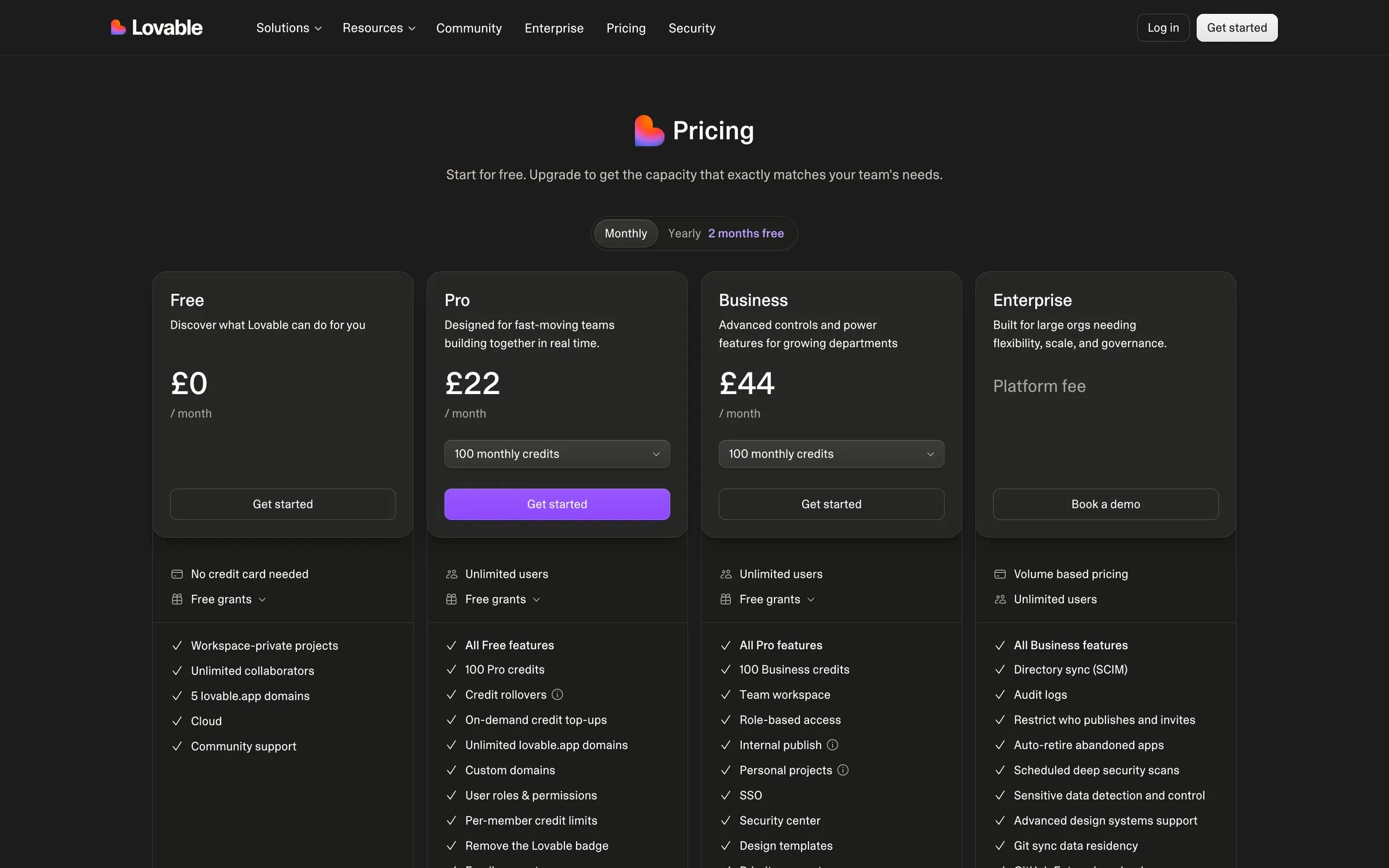
| Lovable | Working code for a site or app, from a chat | Yes: 5 credits a day, up to 30 a month | £22 a month for 100 credits and a custom domain | Yes, the code is yours |
| Webflow AI | A multi-page site from a prompt, then editing in the Webflow designer | Yes, on a webflow.io address | $15 a month, annual, for a custom domain | Your design, yes; static code can be exported on paid plans |
| Framer AI | Editable pages, sections, copy and visuals inside the Framer canvas | Yes, with 500 AI credits, no custom domain | $10 a month, annual; the AI uses credits | Your design, yes; the site lives on Framer |
The cost scores in the ratings are mine, based on those prices and on whether the AI keeps costing you after you’ve signed up. Squarespace, Wix and Webflow charge a flat plan price; Lovable and Framer both run on credits, so the more you use the AI, the more you pay.
Squarespace Blueprint AI: 4.2 out of 5
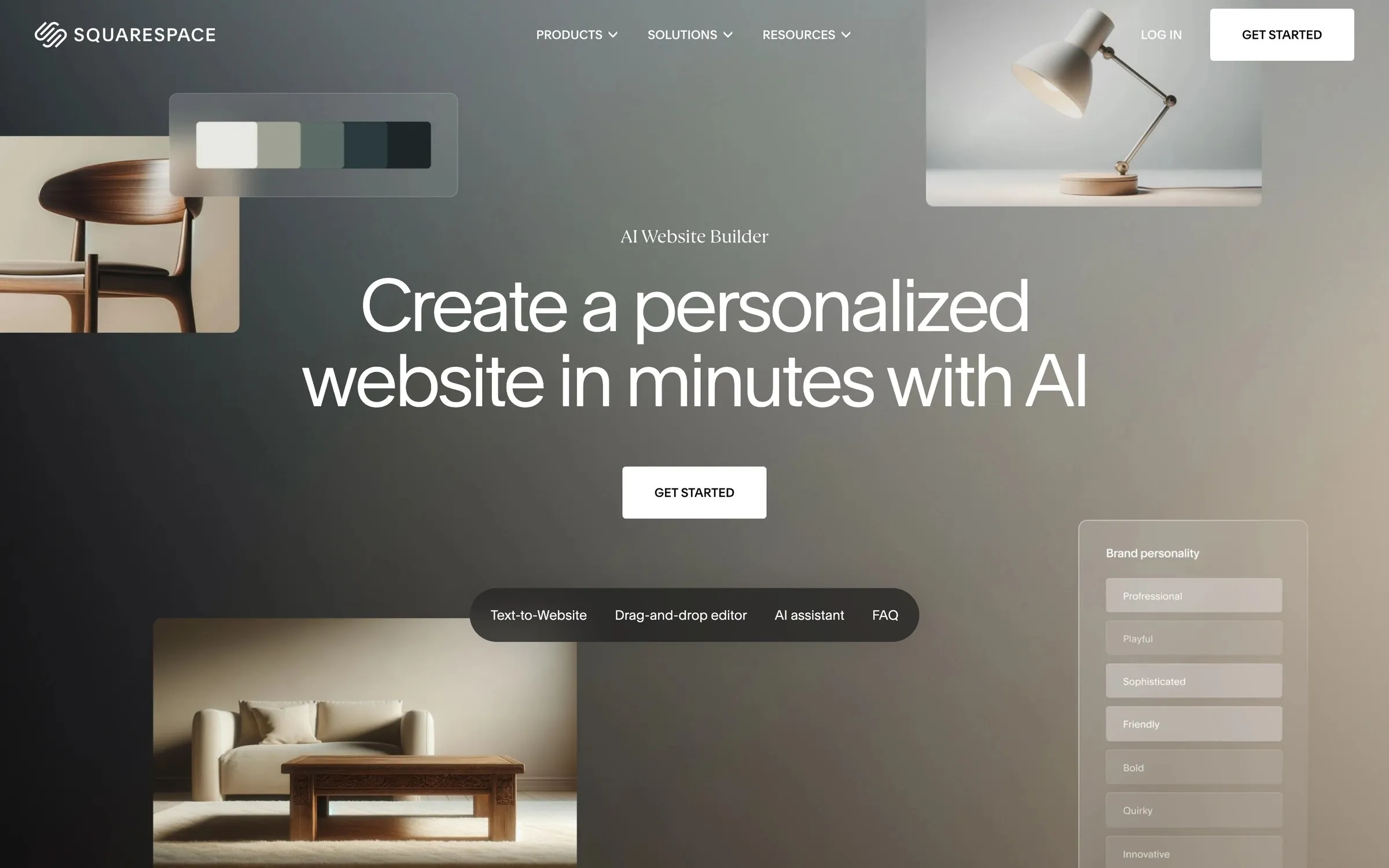
Blueprint asks what kind of site you’re making, what it’s for, the name and the brand personality, and then it builds. It had something set up in literally 30 seconds. What I liked most is how visual the process is: every option it suggests, the palette, the font pairing, the layout, is shown to you as it would look on your site, so you’re choosing between things you can see rather than guessing from a list.
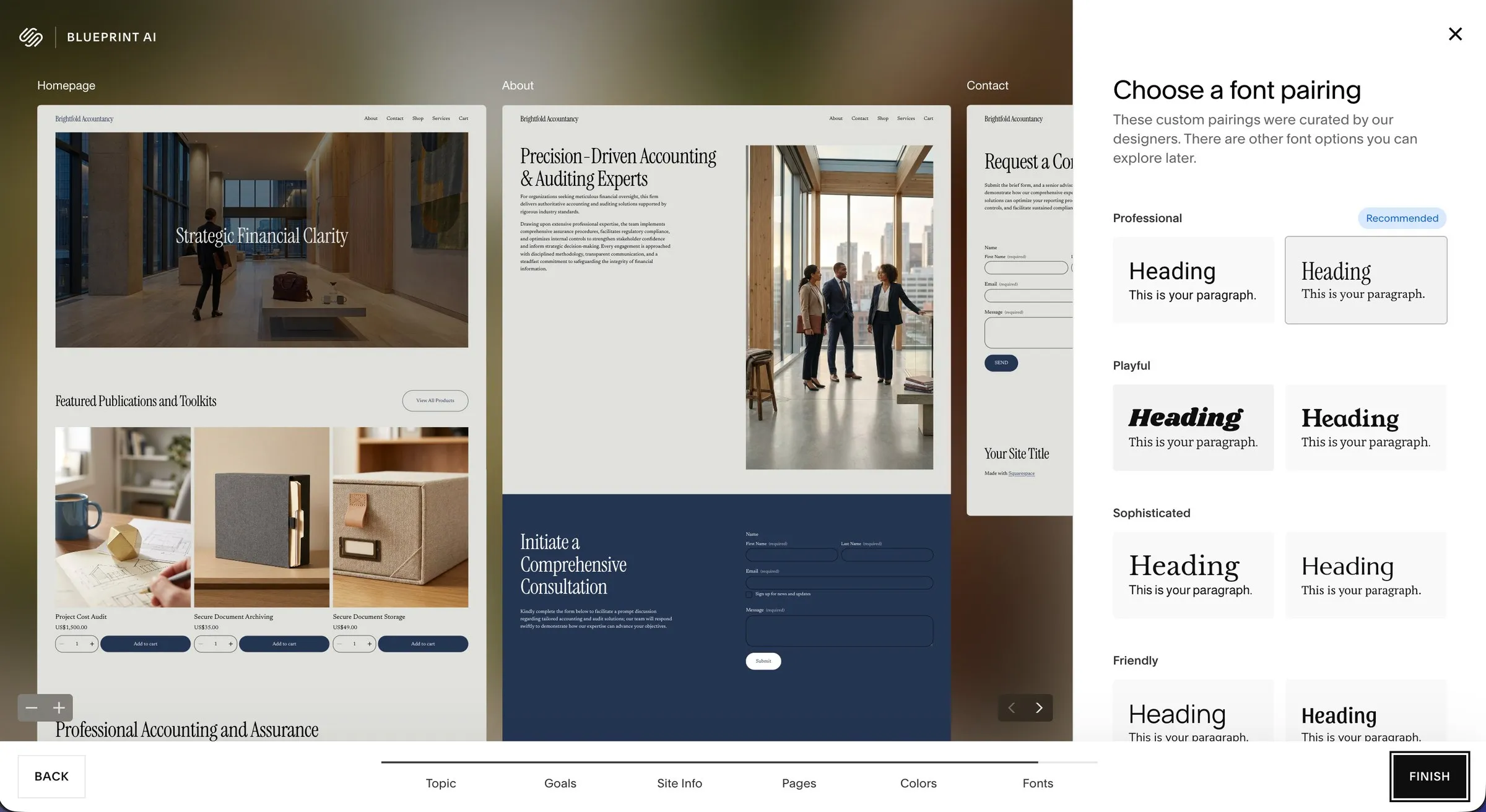
The result already resembled a professional website, which is more than I can say for two of the others. Where it loses points is design ambition: it’s clean and correct rather than distinctive, because it works within Squarespace’s templates and grid. That’s also why it’s the easiest of the five to live with afterwards. You land in the normal Squarespace editor with a real site, Squarespace’s other AI tools (it calls them Design Intelligence) help draft copy as you go, and the platform doesn’t fall apart on you later.
- Ease 5/5. The smoothest process by a distance.
- Speed 5/5. Thirty seconds to a site.
- Accuracy 4/5. Followed the brief, name included.
- Design 3/5. Professional, safe, a little template-ish.
- Cost 4/5. Free trial, then from £12 a month, no credits to run out of.
Wix AI: 3.6 out of 5
Wix has you chat to an AI assistant that asks for more information than Squarespace did. Fine so far. Then, once I’d finished answering, it loaded me into the Wix dashboard, and five minutes in I was still a little confused about where the website actually was and what it looked like. I found the “design your site” button eventually, after skipping a few steps like domain setup, and it then offered some really nice templates. I pressed edit on the one I liked.
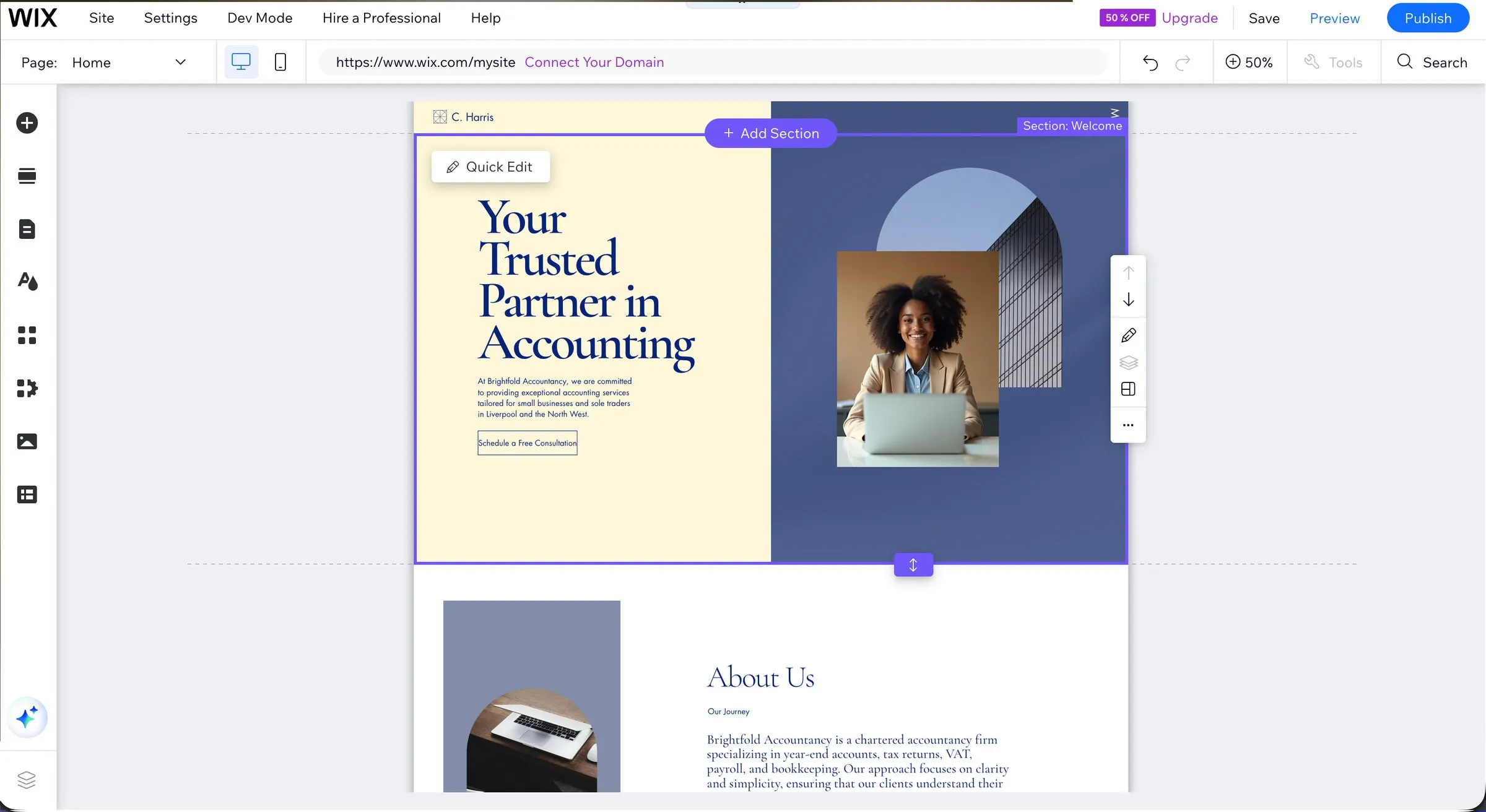
Honestly, I think the result looks better than Squarespace’s first attempt. But the process is much less smooth and more confusing, and there was an odd mistake: the site title and logo weren’t my company name, even though the copy referenced Brightfold throughout. Who is C Harris? Nobody at Brightfold, that’s for sure. Wix also has far more AI features than anyone else (text, images, sections, meta tags, an agent called Aria), which is a strength if you want to prompt your way through everything and a lot of buttons if you don’t.
- Ease 3/5. Good questions, confusing dashboard.
- Speed 3/5. Five minutes before I saw a website.
- Accuracy 4/5. Right copy, wrong site title.
- Design 4/5. The best first draft here.
- Cost 4/5. Free to start on a Wix address, from £9 a month with your own domain.
If you want my fuller view of the platform underneath, it’s in Squarespace vs Wix. The AI gets you into the Wix editor faster; it doesn’t change what the editor is like to maintain.
Lovable: 3.4 out of 5
Lovable is a different kind of tool: it writes real code from a chat rather than filling a template, and you own that code. I signed up, it greeted me with a chatbot, I pasted the brief, and it asked me to pick a design direction from three. I’ll be honest, not great options, but I picked one and the site was spun up really quickly. At least it got the company name right, and generating an AI stock image with Liverpool in the background was a nice touch.
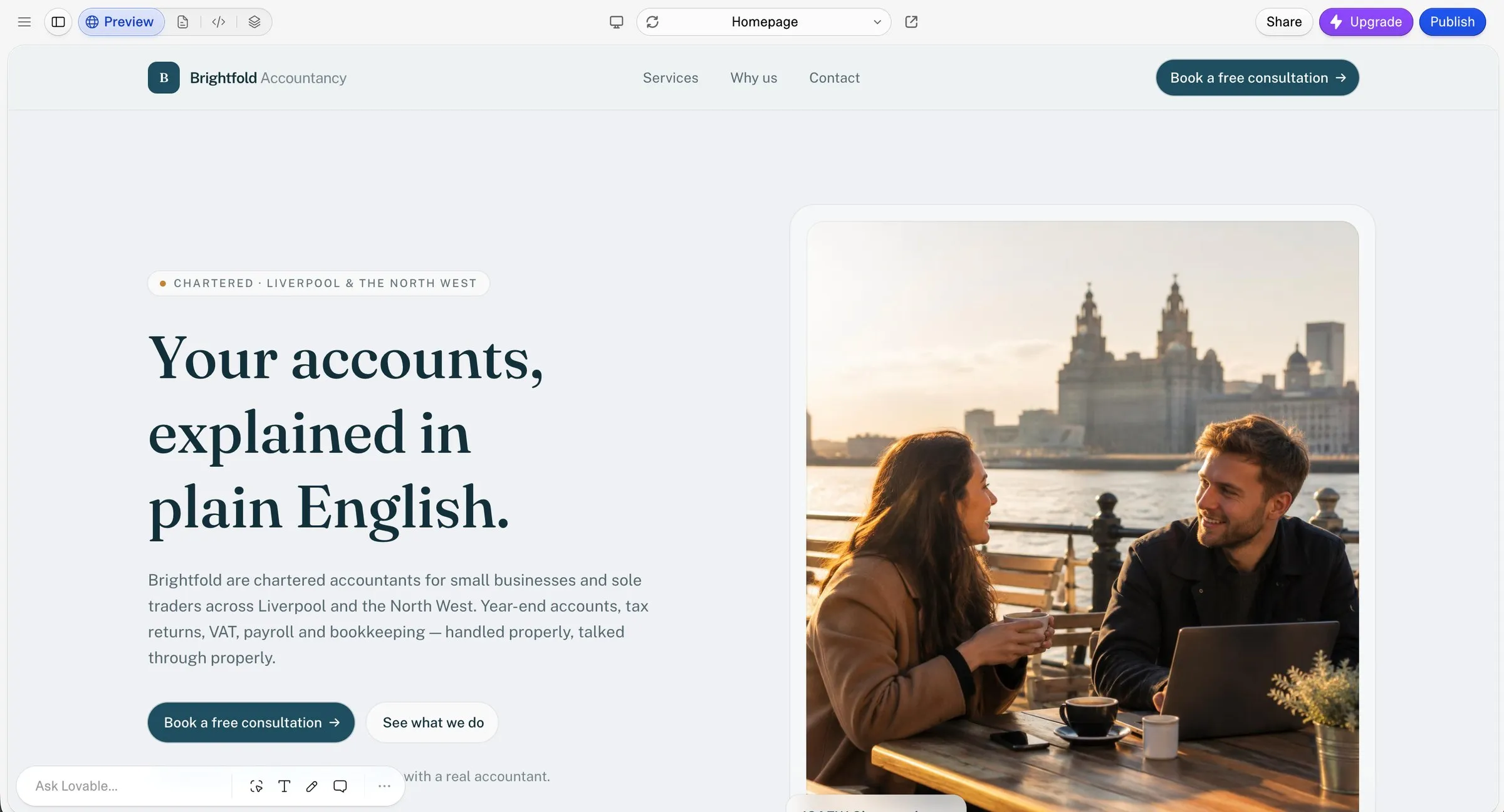
That said, in my opinion the design lacks any real polish and screams “I was made with AI in five minutes and I don’t know what I’m doing” (mostly true, to be fair). For a brochure website it’s the wrong tool: you’ll spend credits getting it to do things Squarespace does in one click, and at the end you have code to look after. For a web app, a calculator or a booking flow, it’s remarkable, and nothing else in this test comes close. That’s just not what most small businesses need.
- Ease 4/5. A chat, three options, done.
- Speed 4/5. Fast once I’d picked a direction.
- Accuracy 4/5. Name right, Liverpool in the picture.
- Design 2/5. No polish.
- Cost 3/5. Free for a few credits a day; £22 a month for 100 credits and a domain, and the credits run out.
Webflow AI: 3.0 out of 5
I logged into Webflow, pasted my prompt, and waited through multiple loading screens. After about two minutes it had built a few pages, and these were actually my favourite designs of the lot: a real modern look and feel, the kind of thing you’d expect from the platform agencies build on.
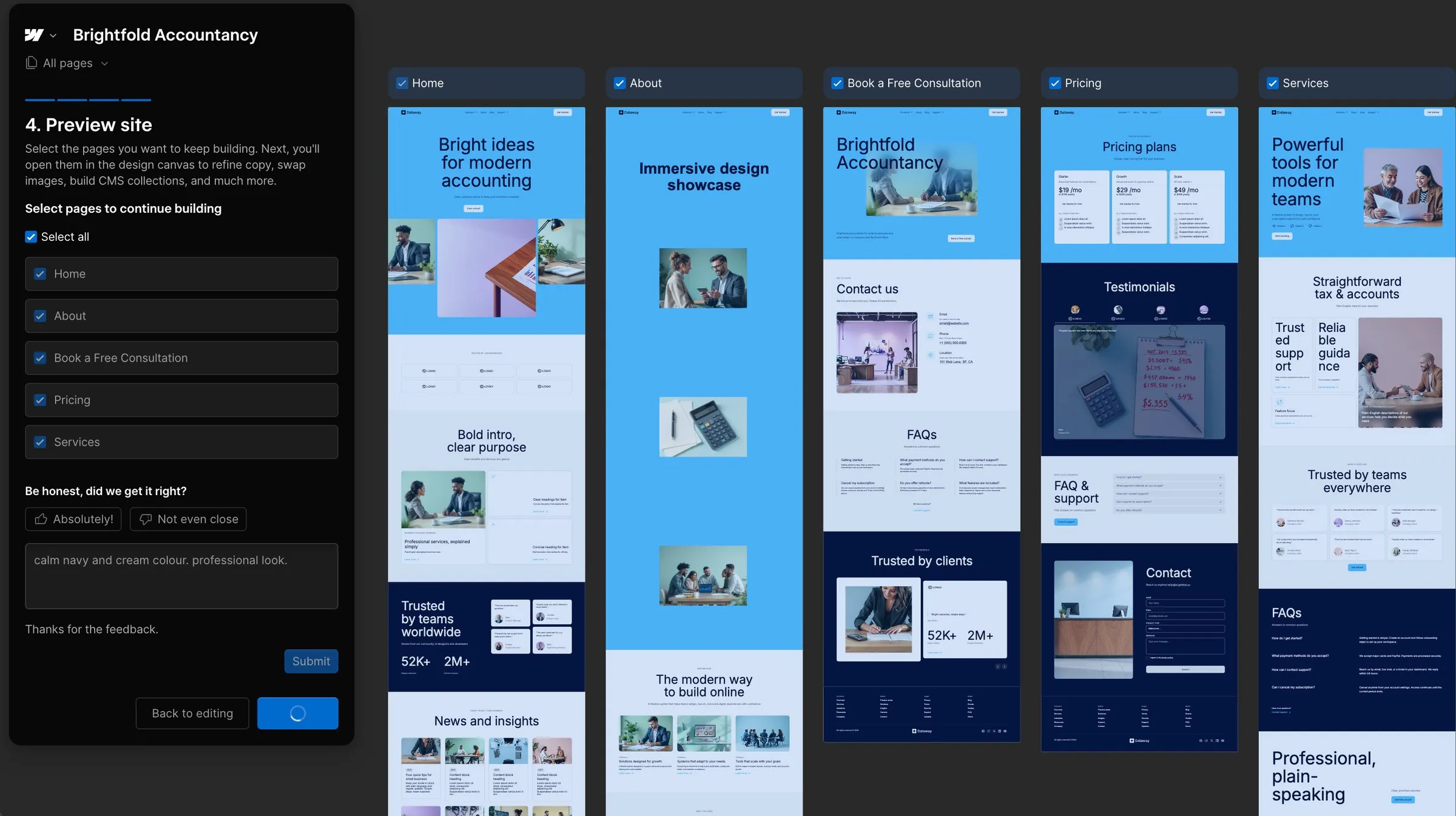
Then it went wrong. I wanted to tone the bright colours down to something more traditional, and the wizard told me to “edit theme and sections” with no option to do so: just a continue button and a line saying to use the design canvas later. It did ask if there was anything I’d change, so I dutifully typed in my calm navy and cream colour scheme (such a hit with Framer, below). That box was a feedback form. Fooled me. I clicked continue, sat through another painful loading screen, and was dropped into the editor. The AI chat was gone, and I was utterly intimidated.
That’s the problem with Webflow’s AI for a small business owner: I had no say in the design direction at all, I got what I was given, and changing any of it means learning a professional tool first. If an experienced designer can’t be bothered working his way around breakpoints to change a colour, the owner of an accountancy firm won’t be either. Free to start on a webflow.io address; $15 a month on an annual plan for your own domain.
- Ease 2/5. A wizard that won’t let you edit, then an editor built for professionals.
- Speed 2/5. Two minutes of loading screens, then more.
- Accuracy 4/5. Followed the brief, several pages.
- Design 4/5. Modern and the best-looking of the test, if a bit bright.
- Cost 3/5. Free without a domain, $15 a month with one.
Framer AI: 2.2 out of 5
I logged in, clicked create new website, and was greeted with a blank canvas. There was no snazzy red carpet rolled out to the AI feature like on Squarespace or Wix, so if you aren’t an experienced designer like me, you’ll probably see the blank canvas, panic, and close your laptop before you find the little chat window at the side. I found it, and pasted the brief in. Framer’s chat says it runs on OpenAI’s ChatGPT 6.1 Sol model, which sounded promising. It then asked me some questions in a similar fashion to the other builders, one of them being which colour scheme I wanted. I answered “calming navy and cream”, and off it went generating a… mint green and white website. I felt anything but calm.
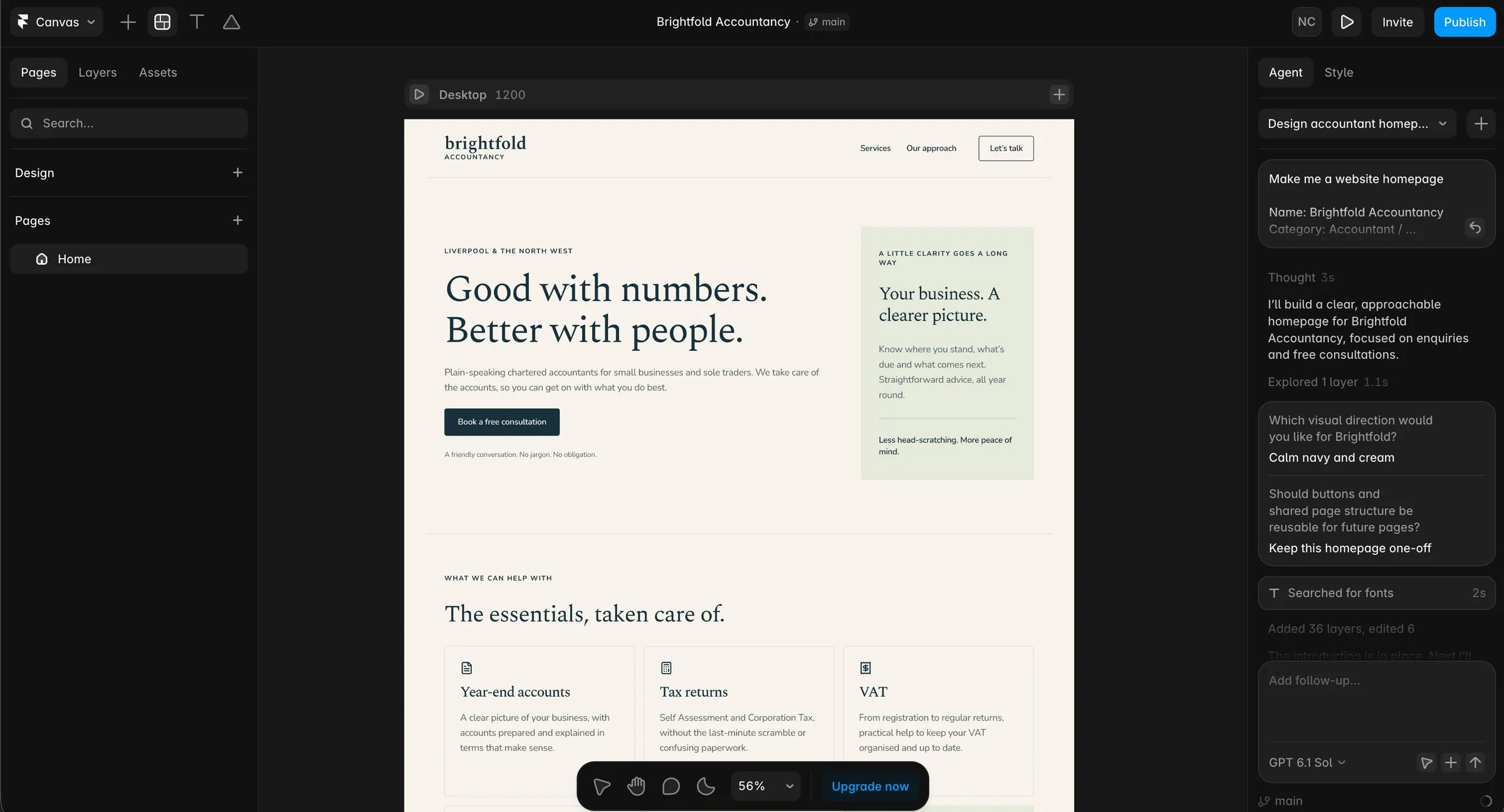
Honestly, given Framer’s reputation as the builder your favourite designer designs on (unless your favourite designer is me), I was pretty disappointed. The colours are wrong, the design is really basic, even more so than Lovable’s, and there are no images at all. I could see myself sinking hours into it to get it to a half-decent standard. Not to mention the whole thing runs on credits, and I wasn’t sure how soon I’d be running out of those. Framer is still a superb design tool in skilled hands; its AI just isn’t the shortcut a small business owner would want. Framer is typically better suited to SaaS companies and tech start-ups, so maybe there was a mismatch with my brief. Either way, you see the result.
- Ease 3/5. Blank canvas first, chat second.
- Speed 2/5. Slow to anything usable.
- Accuracy 2/5. Ignored the colour brief.
- Design 1/5. Basic and imageless.
- Cost 3/5. Free without a domain, from $10 a month with one, and credits on top.
What the AI builders do well, and where they stall
All five are good at the blank-page problem. A business owner with no site and no design background can have something presentable in an afternoon, and that wasn’t true two years ago. The copy they write is a usable first draft, the layouts are no longer embarrassing, and Squarespace in particular gets you somewhere respectable before you’ve finished your coffee.
Where they stall is the same place every time: the second week. The AI doesn’t know your business, so the words are generic until you rewrite them. Three of the five sites look like AI made them, because it did. The photos are stock or generated, and nothing kills trust in a local business faster than a face that doesn’t exist. And once the generation step is over, you’re left with whatever platform sits underneath, which is why Squarespace came out on top: the first draft is decent and the platform is the best of the five to live with.
That gap, between a plausible first draft and a site that actually brings in work, is the job. It’s what I do on a custom Squarespace build, and for owners who don’t want to touch the site at all, it’s what Managed-For-You is for: the site built properly, then run for you every month, which is the one thing no AI builder offers.
Questions people ask
What is the best AI website builder?
On this test, Squarespace Blueprint AI for a normal business website: the fastest, the easiest and the most professional-looking result out of the box. Webflow if design matters most and you (or your designer) can handle its editor. Wix if you want the most AI features. Lovable if you need an app rather than a website. Framer if you’re a designer who wants a canvas, not a shortcut.
Is there a free AI website builder?
Wix, Lovable, Framer and Webflow all have free plans, and Squarespace has a free trial. In every case you need a paid plan to use your own domain name, which any real business should. Hostinger, the other name you’ll see on these lists, has no free plan at all, just a 30-day money-back guarantee on a plan paid years in advance.
Can an AI website builder replace a web designer?
For the first draft, increasingly yes, and Squarespace’s is genuinely good. For the site that actually wins customers (the right words, real photos, a structure built around what you sell, and someone keeping it working), not yet. I say that having just watched five of them build the same site: every one needed a designer’s hours to be something I’d put a client’s name on.
Do you own a website made with an AI builder?
You own your content on all of them. The site itself stays on Squarespace, Wix, Framer or Webflow’s platform (Webflow lets you export the static code on paid plans, but not the CMS). Lovable gives you the code outright, which is the exception.
Is Squarespace’s AI any good?
Yes, with the caveat that it’s a starting point, not a finished site. Blueprint gives you a well-designed draft in seconds, and Squarespace’s Design Intelligence tools are handy for first-draft copy. Treat both as a very fast junior designer whose work you review.