How to Add a Favicon in Squarespace (2026 Guide)

By Nick Croce

Short answer: in Squarespace 7.1 go to Settings → Website → Favicon, upload a square PNG between 100 × 100px and 300 × 300px (under 100 KB), add a dark mode version if you have one, and click Save. If it doesn’t show straight away, clear your browser cache. That’s it. Everything below is the detail.
A favicon (sometimes called a browser icon), is a small icon displayed in a browser's tab next to the website’s title, and it helps users quickly identify and locate a website among multiple open tabs.
This is great for both brand recognition and user experience, and best of all - it’s super easy to add! Here's how to do it in Squarespace in four easy steps.
Squarespace favicon size and format
Squarespace is specific about the file, and most “my favicon won’t upload” problems come down to one of these four things:
- Format: PNG. Squarespace doesn’t accept .ico, SVG or animated files for the favicon.
- Size: square, between 100 × 100px and 300 × 300px. If you want it to appear next to your site in Google’s results too, use a multiple of 48px, so 96 × 96, 144 × 144 or 192 × 192.
- Weight: under 100 KB. Export at 72dpi with no embedded colour profile and it will be a fraction of that.
- Background: transparent, unless your mark is very thin, in which case a solid rounded square in your brand colour reads better at tab size.
Keep the artwork simple. At 16 pixels across, a wordmark becomes a smudge; a single letter or a shape from your logo stays legible. If you only have a full logo, crop to the symbol or the first letter, and if you need a quick export, Figma, Canva and Squarespace’s own Logo Maker will all save a square PNG at these sizes.
Opening the Squarespace settings menu
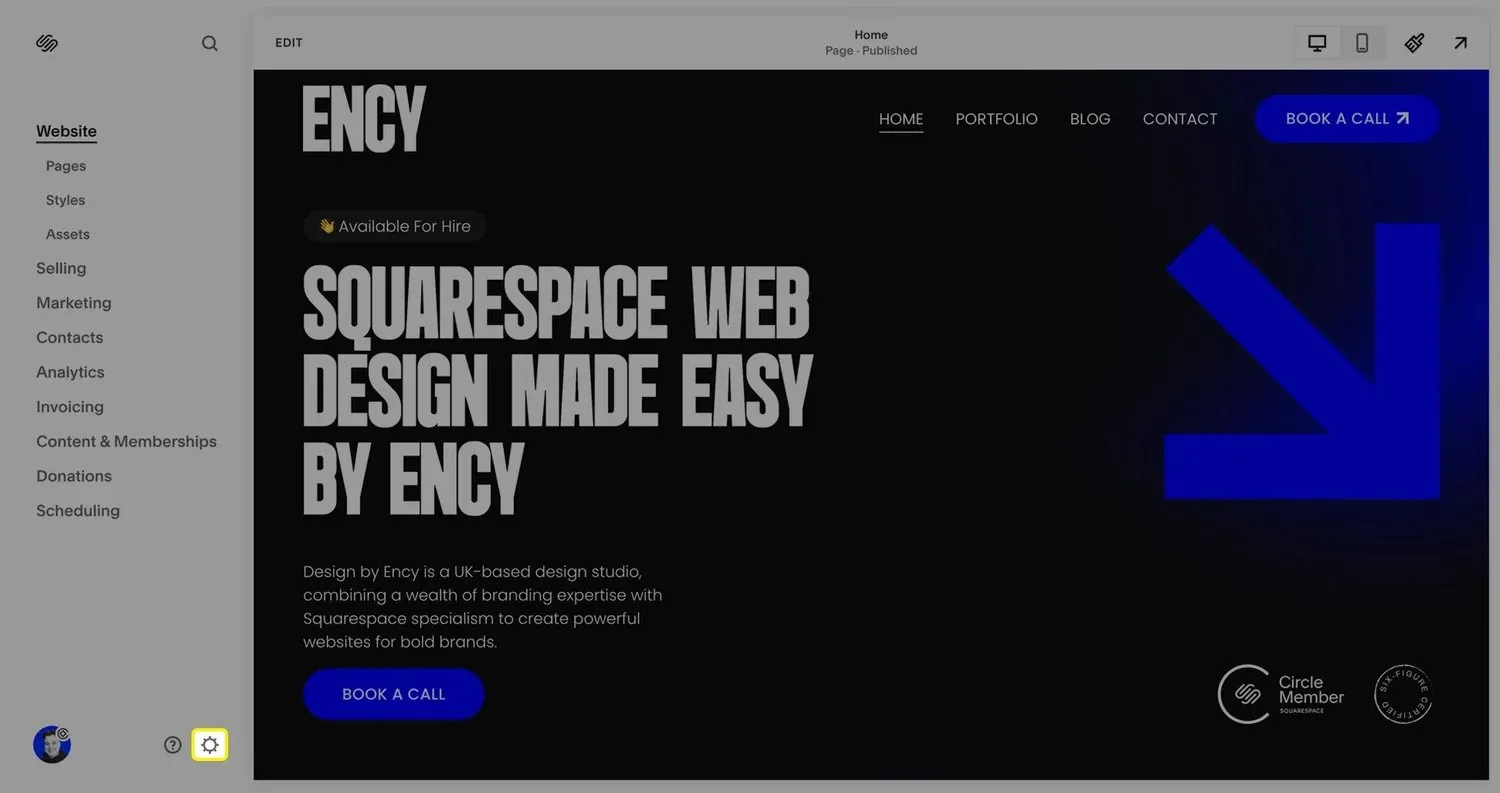
To get started, log in to your Squarespace account and open your site. On the left menu, on the bottom, click the settings icon.
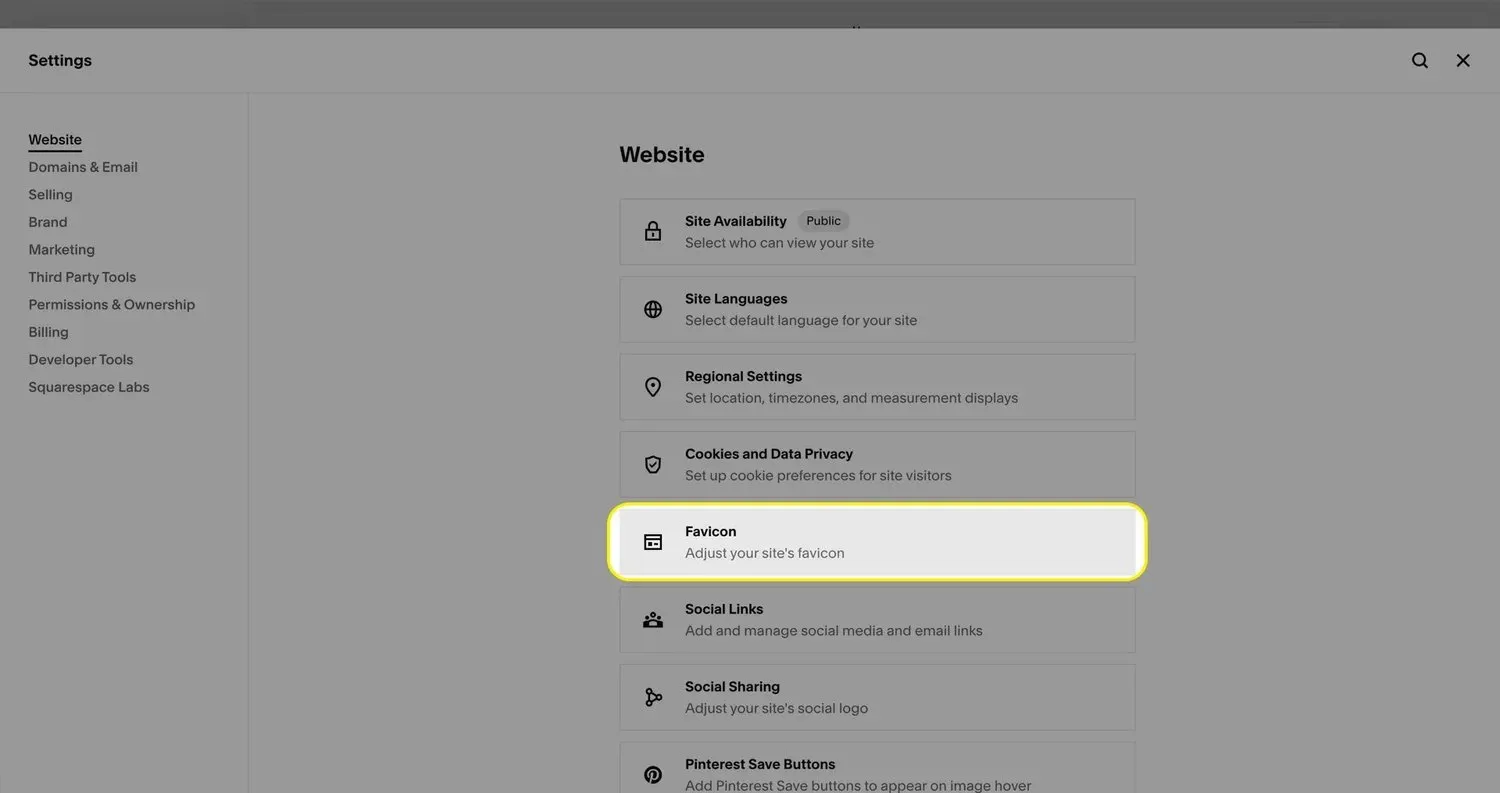
Next, in the “Website” tab, locate and click on the “Favicon” option.
Upload your favicon
Inside of the “Favicon” section, click on the top “Add a favicon” option to upload your icon from your computer. It’s best practice to use a shorthand version of your logo here, as it remains legible even when displayed in the small space of the browser window.
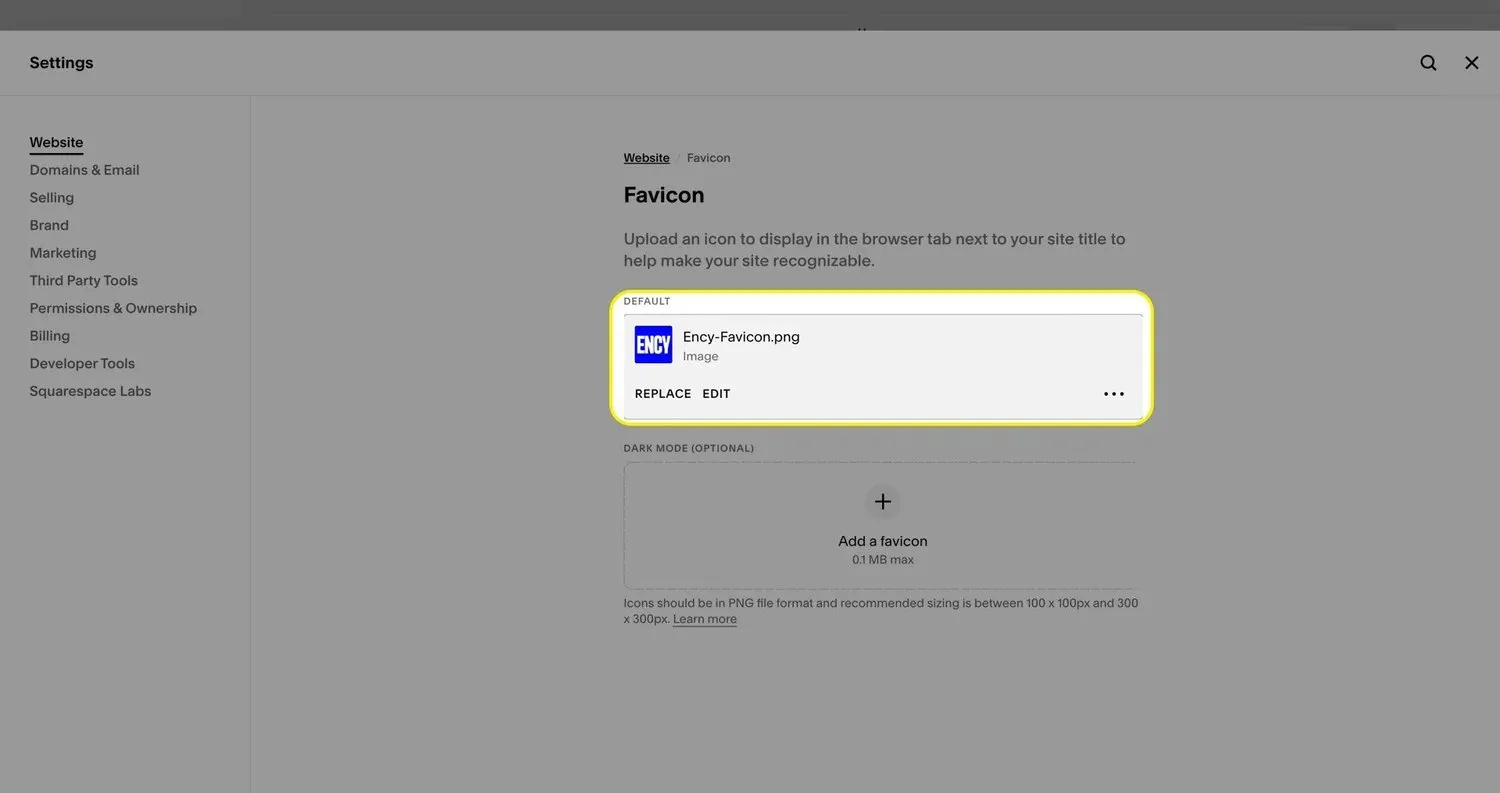
File requirements (Squarespace’s own guidance, checked September 2026): upload a PNG (Squarespace won’t accept .ico files), square, between 100 × 100px and 300 × 300px, and under 100 KB. A transparent background looks best on both light and dark tabs. One more thing most guides miss: Google will only show your favicon in search results if it’s a multiple of 48px, so 96 × 96, 144 × 144 or 192 × 192 are the sizes to export.
Upload your dark mode icon (optional)
You’ll notice there’s also an option underneath the default Favicon for a “Dark mode” version.
This is an alternate version of your icon you can use on browsers when the user is viewing in dark mode. For example, if your icon is black and the user’s browser is in dark mode, this may be difficult to read.
In most instances, if you use your brand’s primary color (such as blue for my own), then it will not be necessary to add a “Dark mode” version.
Save and preview your changes!
After uploading your icon, remember to save your changes by clicking “Save” in the top right of the menu.
Next, open your site in a new tab and check the icon. Browsers hold on to cached favicons stubbornly, so if you still see the old one, clear the cache or open a private window before assuming the upload failed. Google Search can take a few days to a couple of weeks to pick up a new favicon after its next crawl.
If your icon looks as expected, congratulations! You have successfully uploaded a Favicon on Squarespace 7.1.

How to change or replace your Squarespace favicon
Changing a favicon uses the same panel as adding one. Go to Settings → Website → Favicon, click the current icon, remove it, then upload the new PNG in its place and click Save. If you use a dark mode icon as well, replace that one too or the two will mismatch.
Expect to keep seeing the old one for a while. Browsers cache favicons harder than almost anything else, so check in a private window or clear the cache before you decide the change didn’t take. Google updates the icon it shows in search results on its own schedule, usually within a couple of weeks of recrawling your homepage; you can nudge it by requesting indexing of the homepage in Search Console.
5 benefits of using a Favicon on a Squarespace site:
1. Brand Recognition
A favicon reinforces your brand identity, making your website easily recognizable among many open tabs.
2. Professional Appearance
A favicon adds a level of professionalism and polish to your Squarespace website, demonstrating attention to detail.
3. Improved User Experience
Favicons help users quickly locate your Squarespace site in their bookmarks or browser history, enhancing navigation and usability.
4. Increased Trust
A well-designed favicon can build trust with visitors, as it shows that you care about all aspects of your Squarespace website’s presentation.
5. Cross-Platform Consistency
Favicons ensure your Squarespace website’s brand is consistently represented across different devices and platforms, from desktop browsers to mobile devices.
Your users will thank you for adding this.
Frequently asked questions
Why isn’t my Squarespace favicon showing?
Nine times out of ten it’s your browser cache. Clear it, or open the site in a private window. If it still doesn’t show, check the file: it must be a PNG under 100 KB. Squarespace doesn’t support .ico files or animated icons.
What size should a Squarespace favicon be?
Between 100 × 100px and 300 × 300px, square, PNG. For Google search results, use a multiple of 48px, such as 96 × 96 or 144 × 144.
Can I use a different favicon for dark mode?
Yes. The Favicon panel has a second uploader for a dark mode version, which browsers show when the visitor’s system is set to dark. Useful if your normal icon is black on transparent.
Does this work on Squarespace 7.0?
Yes, the panel lives in the same place. On 7.0 you may see it under Design → Browser Icon on older templates.
Rather hand the whole site over than fiddle with settings? I’m a Squarespace website designer working with businesses across the UK. And if you’re weighing up who to hire, here’s my list of the best Squarespace designers in the UK.
Congrats! You’ve officially reached the bottom of the article.