Privacy Policy for a Squarespace Website: Where to Get One and How to Add It (2026)

By Nick Croce

Every website needs a privacy policy to protect user data, comply with legal regulations and build trust with users.
This might seem daunting at first, but setting this up for your Squarespace website is actually really straightforward.
Short answer: in Pages, click the + in the Not Linked section, choose Page Layouts → Privacy Policy and pick a layout. Paste your policy text in, then link the page from your footer and from Settings → Cookies & Data Privacy so the cookie banner points at it. Squarespace publishes free sample wording you can adapt.
Add your Privacy Policy Page.
To get started, log in to your Squarespace account and open your site. On the side menu, click “Pages”.

Next, in the “Not Linked” section, click the plus icon, and then click “Page Layouts” from the menu.
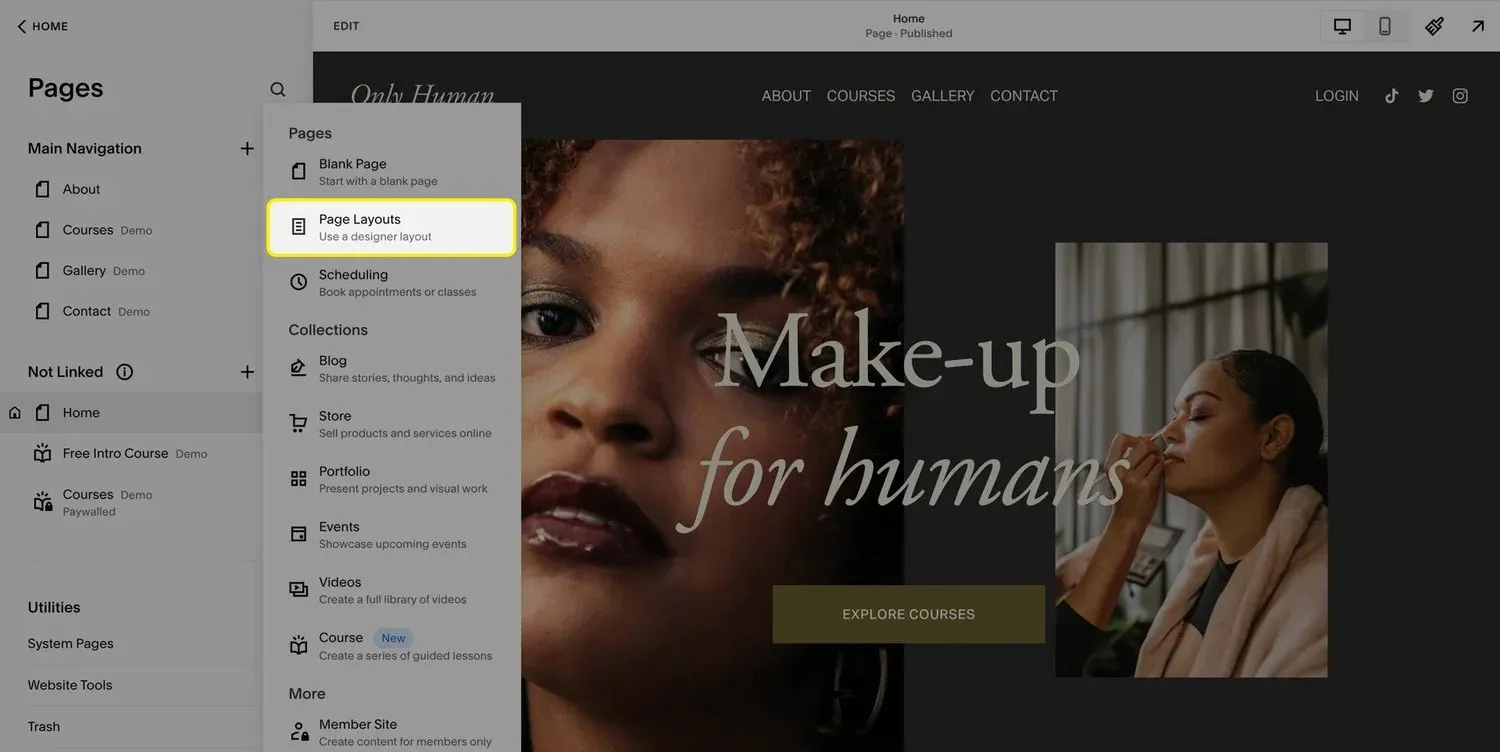
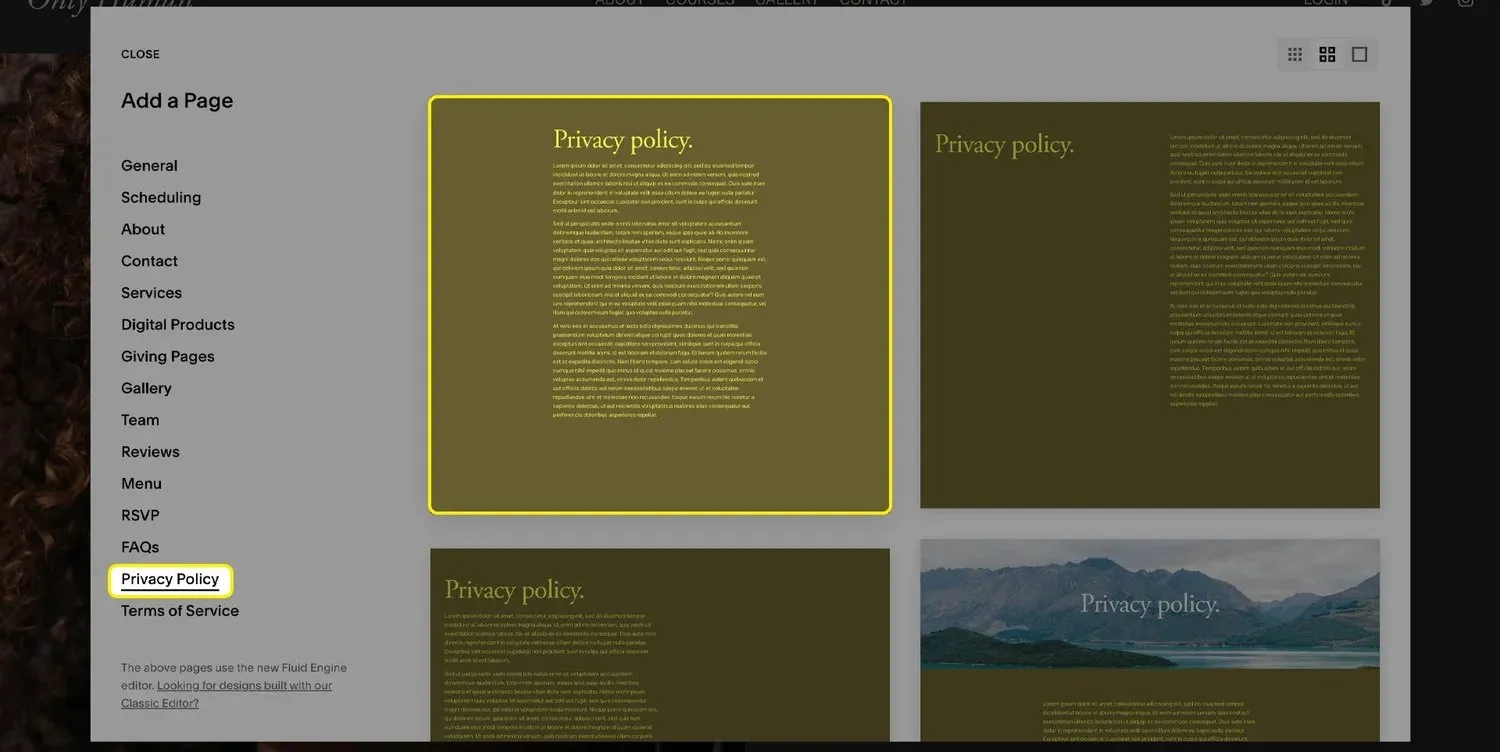
Select the “Privacy Policy” option in the menu and here you’ll see a few different pre-designed templates. Feel free to pick your favorite one!
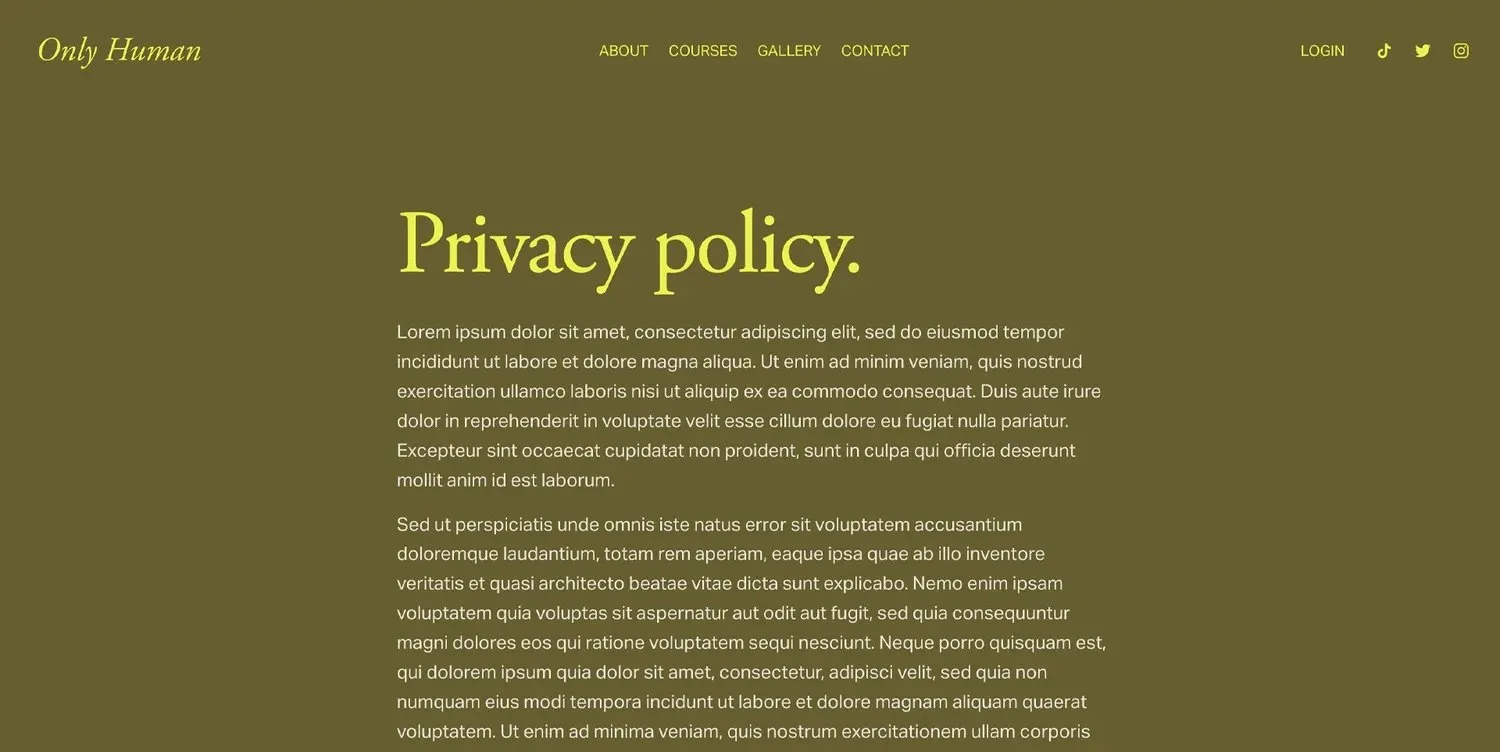
Boom! Your new page has now been added to your website. Now we just need to add in your policy’s text.
Generating your Privacy Policy.
Now that your page is ready on your website, you’ll need to generate the text for your policy.
If you already have access to a legal team, they can create the content for you, but if not, you can generate one yourself online.
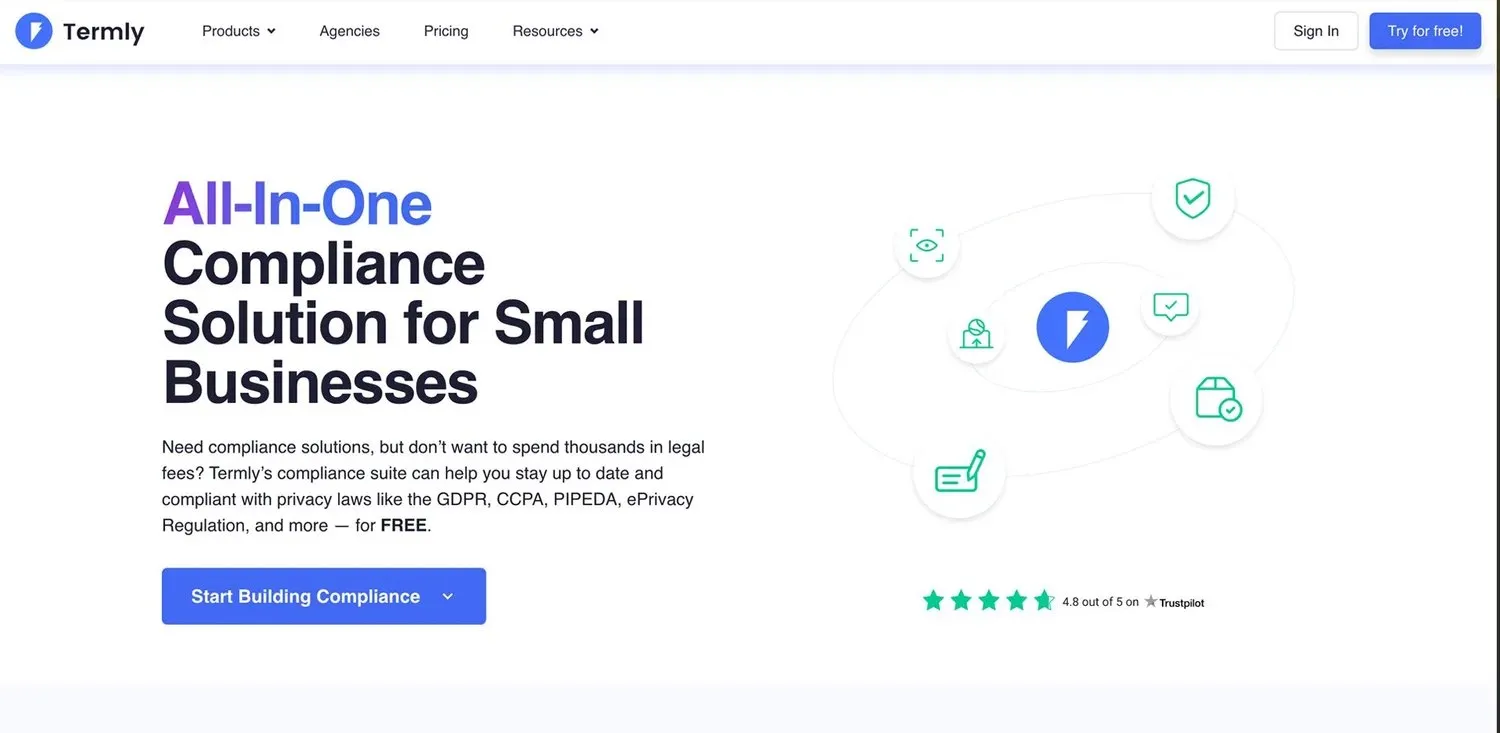
Squarespace also publishes sample privacy policy wording for each feature you might use, from analytics and cookies to forms, payments and scheduling. Copy the sections that apply to your site and edit them. Generators such as termly.io (not an affiliate) do a similar job with a questionnaire.
Whatever you use, put real details in: your legal name and address, the email people should write to, how long you keep form submissions, and every third-party tool that sees visitor data (Squarespace itself, Google Analytics, your booking tool, your email provider). A policy that doesn’t match what your site actually does is worse than none.
Once your policy is ready, simply copy and paste it into the text box on your privacy policy page.
Hit save, and voila! You’ve successfully added a privacy policy to your Squarespace website!
Does Squarespace have a privacy policy template?
Half of one. Squarespace gives you a designed page template (the Privacy Policy layout from Step 1) but not the legal wording to go in it, and it says so itself. What it does publish is sample privacy policy text in its help centre, broken down by feature: one block of wording for forms, one for analytics and cookies, one for commerce, one for scheduling, and so on. You assemble the sections that match what your site actually does, then fill in your own details.
That’s a reasonable starting point for a simple brochure site. It isn’t a substitute for a policy written around your business if you handle anything sensitive, sell to the EU, or run a membership or a shop with customer accounts.
Privacy policy generators that work with Squarespace
A generator asks you a set of questions about what your site collects and which tools it uses, then writes the policy. The output is plain text, so every one of these pastes straight into the page from Step 1:
- The ICO’s privacy notice generator (ico.org.uk) is free and written for small UK organisations. If your business is in the UK, start here: it’s the regulator’s own wording.
- Termly has a free tier and covers UK GDPR, EU GDPR and the US state laws. It’s the one I see most often on Squarespace sites.
- iubenda and GetTerms are paid alternatives that also keep the text updated when the law changes, which matters more than it sounds.
None of these are affiliate links and I don’t get anything for naming them. Whichever you use, the answers you give it are what make the policy accurate: list every tool that sees visitor data (Squarespace itself, Google Analytics, your booking tool, your email provider, Stripe or PayPal) and be honest about how long you keep form submissions.
Add a Link to Your Footer. (optional)
It’s generally best practice to add a link to your privacy policy in the footer of your website. This will help users locate and view your policy.
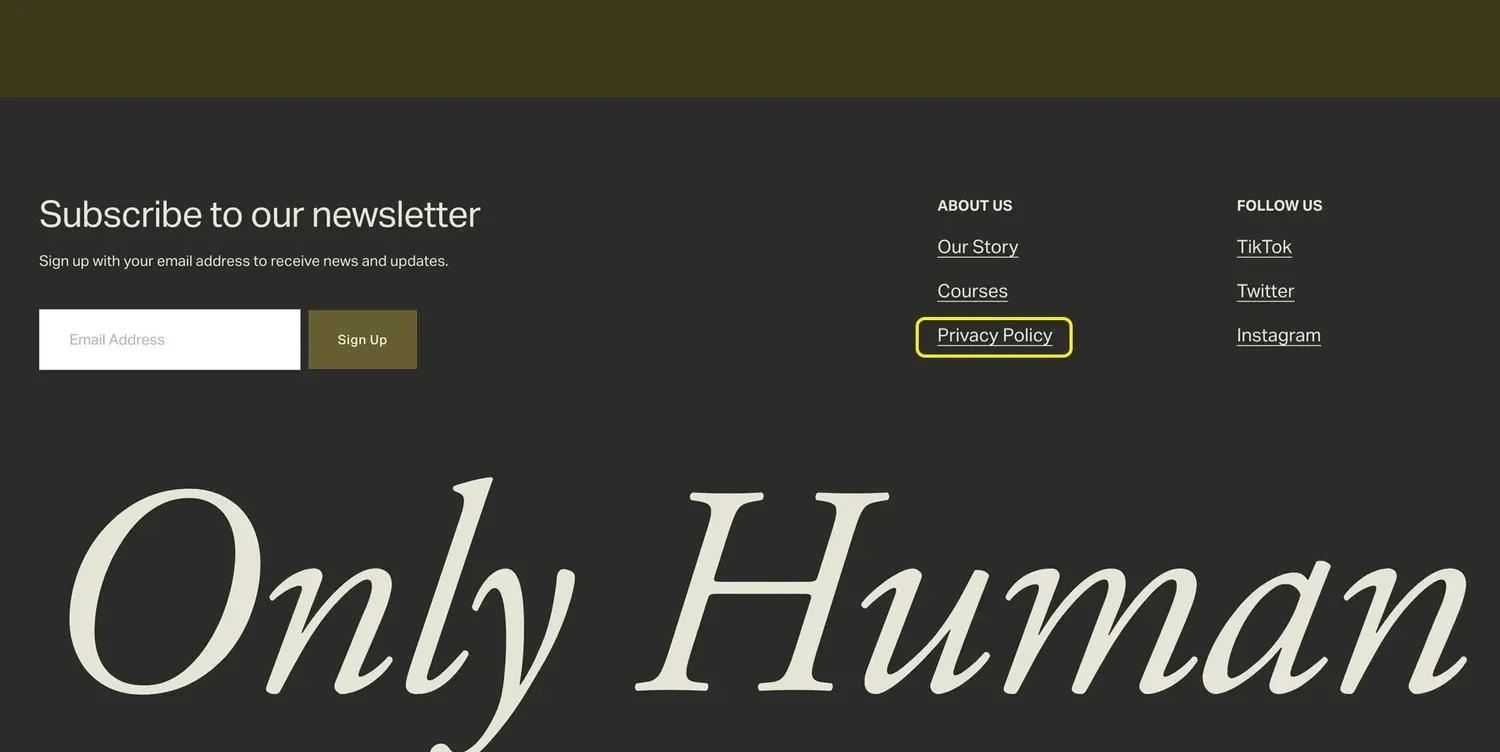
Link it from the cookie banner
If you have visitors in the UK or EU and you use analytics, you need a cookie banner too. Go to Settings → Cookies & Data Privacy, switch on Cookie banner, and turn on the Decline button as well as Accept, so saying no is as easy as saying yes. In the banner text, add a link to the privacy policy page you just made, then Save.
One honest caveat: Squarespace’s built-in banner records the choice, but it doesn’t block third-party scripts you’ve added through code injection until someone accepts. If you’ve pasted in Google Analytics, Meta Pixel or a chat widget yourself, you either need a proper consent tool or to load those scripts only after consent. For most small sites using Squarespace’s own analytics, the built-in banner with Decline switched on is enough.
5 Reasons You Should Include a Privacy Policy on Your Squarespace Website:
Having a privacy policy on your Squarespace website is more than just a good practice — it’s essential for building trust and ensuring your business stays legally compliant. Here are five reasons why you need one:
1. Legal Compliance
A privacy policy helps you stay compliant with various data protection laws, such as GDPR, CCPA, and others that may apply based on your audience’s location. These laws require you to disclose how you collect, store, and use personal data, making a privacy policy mandatory to avoid fines or legal action.
2. Builds Trust
When visitors know exactly how their personal information will be handled, it builds confidence in your brand. Transparency is key, and a clear privacy policy shows that you value their privacy, making them more likely to engage with your website and services.
3. Protects Your Business
Outlining your data collection and usage practices in a privacy policy can shield your business from legal complications. In case of a data breach or any other issue, having a clear policy can demonstrate that you’ve taken appropriate steps to inform your users and protect their data.
4. Third-Party Services
Many third-party services you might integrate with your site, such as Google Analytics, payment processors, or social media plugins, require you to have a privacy policy in place. These services often collect user data themselves, and your policy helps ensure you meet their terms and conditions.
5. Enhances User Experience
A privacy policy helps reassure visitors that their personal information is in safe hands, especially when they are required to provide sensitive details like email addresses or payment information. This added peace of mind can improve user experience and encourage them to interact more freely with your site.
Your users will thank you for adding this.
Frequently asked questions
Does Squarespace give you a privacy policy?
Not automatically. It gives you a pre-designed Privacy Policy page layout and sample wording in its help centre, but you write and publish the policy yourself.
Do I need a privacy policy on a Squarespace site?
If you have a contact form, a newsletter sign-up, analytics or a shop, yes. Under UK GDPR and similar laws you have to tell people what you collect and why.
Where should the privacy policy link go?
In the footer of every page, next to the submit button on any form, and in the cookie banner. Keep the page in the Not Linked section so it doesn’t appear in your main navigation.
Is the Squarespace cookie banner GDPR compliant?
It covers the basics, a notice with Accept and Decline and a link to your policy. It doesn’t stop scripts you added yourself from running before consent, so check what you’ve pasted into code injection.
If you’d rather have this done for you, along with the rest of the site, that’s what I do as a UK Squarespace website designer. Still comparing designers? Start with my top 10 Squarespace designers in the UK.
Congrats! You’ve officially reached the bottom of the article.